Exploring the practical integration of headless WordPress and Kubernetes for improved scalability and deployment efficiency in web applications.
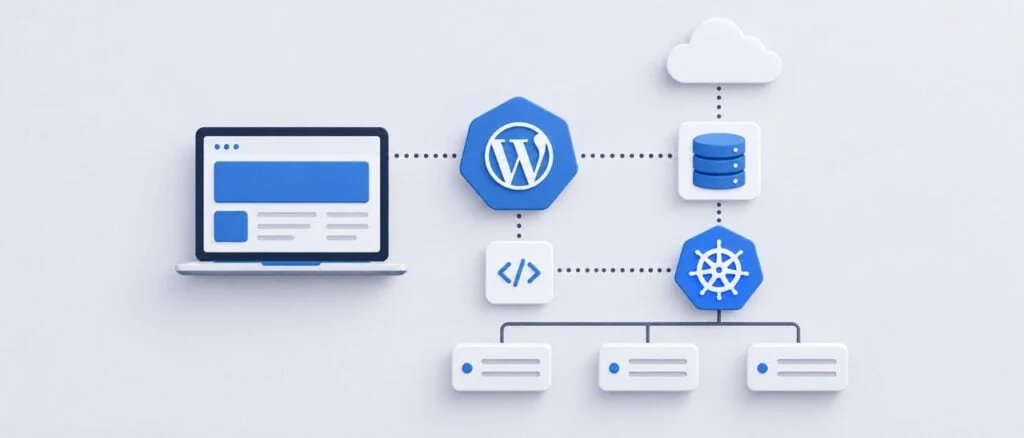
Integrating WordPress, a traditionally monolithic content management system, with Kubernetes, a container orchestration platform, may initially seem unconventional. WordPress was designed for simple server environments, while Kubernetes thrives in dynamic, distributed frameworks. However, applying a headless architecture to WordPress bridges this gap, allowing teams to leverage Kubernetes' scalability and flexibility.
Understanding Headless WordPress
In a headless WordPress setup, the system primarily focuses on content management and APIs, disassociating content from presentation. This separation allows teams to containerize each component of their infrastructure. Rather than being tied to specific server configurations, each segment of the setup— including the frontend— can be independently managed, making it considerably easier to adapt to varying workloads and traffic patterns.
While Kubernetes adds a layer of complexity to the integration, it ultimately provides the architecture necessary for widespread cloud platforms to adopt WordPress effectively. The underlying infrastructure gains a rational means to deploy, scale, and maintain WordPress applications as part of larger cloud-native ecosystems.
Evaluating the Need for Kubernetes
Kubernetes isn't mandatory for all WordPress deployments. For ordinary websites with consistent traffic, the overhead involved with managing a Kubernetes cluster might outweigh the benefits. However, in environments where WordPress serves content in a dynamic ecosystem— such as when dealing with fluctuating visitor numbers— using Kubernetes can significantly improve performance.
The architecture shines in scenarios where WordPress interacts with other services, possibly utilizing REST or GraphQL to deliver content to a frontend application built with technologies like React or Next.js. This setup allows for different components to scale independently, enhancing resource management during demand spikes— for example, deploying more frontend replicas without overextending the WordPress backend.
Decoupling Content Management
To maximize the advantages of headless WordPress, it's critical to establish a division between the content layer and the presentation layer from the get-go. WordPress continues to function as an editorial hub for content producers, who can utilize its dashboard to manage content while the frontend requests structured data via API calls. This architectural separation positions WordPress as a dedicated content service, decoupling it from the frontend presentation technology.
To build a functional headless environment, teams often turn to experienced WordPress development firms like IT Monks, which specialize in creating bespoke architectures that maintain this essential separation. The challenge, however, is ensuring that the frontend remains agnostic to any WordPress theme, as reintroducing such dependencies would negate the key benefits of this configuration.
Containerizing WordPress Components
One fundamental aspect of working with containers is their disposability— they should be easy to recreate without significant data loss. However, WordPress installations often confound this concept due to their reliance on local files for plugins and media uploads. A successful Kubernetes deployment necessitates a rethinking of these dependencies.
For instance, instead of storing media files directly on the containers, consider implementing external object storage solutions. This way, images and other assets are not tied to any specific pod; rather, they can be stored securely and accessed by the frontend through content delivery networks (CDNs). Similarly, application code should be part of deployment workflows rather than residing in container filesystems.
Database Management with Kubernetes
While scaling additional WordPress instances is fairly straightforward, database scaling presents a more significant challenge. A shared database is necessary for WordPress operation, and employing a managed MySQL-compatible service can streamline this process, allowing for effective backups and data management that aligns with the operational requirements of Kubernetes.
Moving forward, ensuring that all application replicas can access consistent data is vital. Neglecting this can lead to complications, particularly if the assumption is made that scaling can occur uniformly across all components.
Handling Media in a Headless Architecture
Image uploads represent another obstacle in a Kubernetes-based WordPress setup. If an image is uploaded through one pod, it may not be accessible from others. Using object storage for media allows for greater accessibility and consistency across various nodes, ensuring that all WordPress replicas can retrieve necessary files without losing data during container replacements.
Optimizing Caching Strategies
Caching emerges as a multifaceted challenge in headless WordPress installations. Multiple caching layers can perform at different steps— from WordPress itself leveraging object caches to the frontend employing smart caching mechanisms. Each caching layer must operate cohesively; excess caching might lead to outdated content while insufficient caching can burden the database.
Setting specific cache invalidation rules also becomes essential, especially for editorial teams that require immediate content updates to reflect online. Writers expect reliability, so developing a sound cache strategy outlines how content changes propagate through the system.
Implementing Effective Autoscaling
Kubernetes simplifies scaling, but merely enabling autoscaling features isn’t always effective. Evaluating and understanding your application’s requirements— through metrics like CPU usage, memory consumption, or request rates— will guide better scaling decisions. Misconfigured autoscaling could lead to high database queries during increased traffic without effectively addressing performance issues in the application code itself.
Strategic Deployment Management
Deployment processes benefit from the consistency provided by containers. However, WordPress introduces nuances that may disrupt normal operations. Maintaining user accessibility during upgrades is essential, particularly when deploying changes to the database that older and newer application versions may need to access during transitional phases.
To navigate these complexities effectively, consider adopting a disciplined approach to plugin updates, ensuring they align with deployment strategies instead of permitting arbitrary updates that could hinder the reproducibility of deployments.
Monitoring for Performance
When performance issues arise in a headless setup, tracing the problem can be more challenging compared to conventional WordPress servers. Delays could originate from any number of sources across the infrastructure. Therefore, maintaining comprehensive logging and monitoring across the entire request lifecycle becomes paramount to identify where optimization efforts should focus.
Evaluating Kubernetes for Your WordPress Needs
In summary, adopting Kubernetes for a headless WordPress implementation isn't an automatic advantage nor does it guarantee improved performance. The decision to use Kubernetes should stem from specific project needs— whether that involves greater flexibility and scaling capabilities or the need for a more structured deployment process. For larger, more complex systems, embracing this architecture can transform WordPress from a traditional content solution into a nimble, cloud-centric asset while still retaining a familiar editing experience.
Discussion
Sign in to join the discussion.