Navigating the Challenges of Migrating Containers to ARM Architecture
Oct 15, 2026 · 622 views
Shifting containers to ARM can lead to hidden runtime issues; thorough testing and dependency audits are essential for a smooth transition.
Understanding ARM Migration Pitfalls
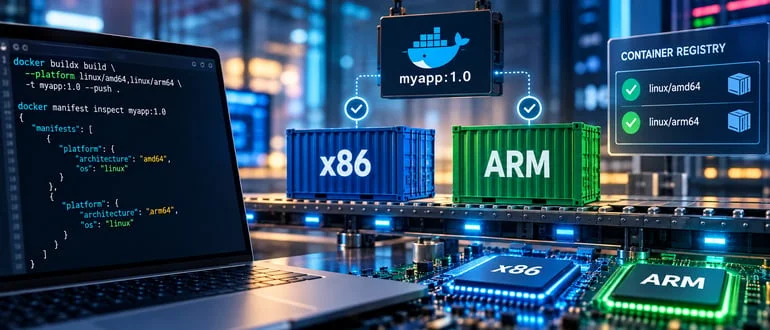
Shifting your containers from x86 to ARM architectures may seem straightforward at first—add a platform flag to your build command, observe a successful build, and voilà, you think you're good to go. However, as many teams discover, the transition is fraught with issues that only surface when the application is put to the test. This is more significant than it looks. The Docker build process can produce valid images for both amd64 and arm64 architectures; yet, hidden beneath the surface are architecture-specific dependencies that often lead to runtime failures, particularly on ARM where they fail to execute as expected.
Native libraries act as a tripwire, catching teams off guard. Dependencies encoded directly into your Dockerfile might point to binaries or libraries that don’t match the architecture. For instance, if you reference a hardcoded download URL intended for x86 and expect it to work on ARM without modifications, you’re setting yourself up for a crash. This kind of oversight can be devastating, especially if production workloads rely on that piece of software. Similarly, libraries that rely on specific architecture classifiers can lead your application into a silent performance drop instead of outright failure. The system may revert to a less efficient, generic implementation, which can degrade user experience and operational efficiency.
Embedded performance penalties and crashes are just the tip of the iceberg. The complexity escalates significantly within a CI/CD environment. Most pipelines are optimized for x86 development, meaning they often operate on the assumption that things will run smoothly when switching to ARM. While emulation allows ARM builds to occur, they tend to inherit the original architecture’s dependencies—essentially carrying forward the problems instead of resolving them. The unfortunate reality is that teams frequently deploy ARM images without running adequate tests on ARM hardware. You might think you've ticked all the right boxes by building and passing security scans, but if comprehensive testing has not been executed, hidden issues could derail production when the architecture-specific code begins execution.
A Checklist for a Smooth Migration
So, what can you do to avoid these pitfalls? Start with a thorough dependency audit. This step can’t be stressed enough. Before deploying, use the `docker manifest inspect` command to ensure both architectures are represented harmoniously within your images. Proactively check that hardcoded architecture references in your Dockerfile are fully addressed, because, as many developers find, these points of reference can become quicksand if not handled properly. Replace them with the `TARGETARCH` variable to adapt your architecture references appropriately; ensure it’s correctly mapped to reflect the architecture names as they might differ between vendors.
Beyond simple checks, conducting tests natively on ARM hardware is paramount. Even a single ARM runner within your setup can help surface potential issues that emulation might gloss over. (And this is the part most people overlook: the nuances of hardware performance can vary drastically between emulation and real-world conditions.) Don’t merely settle for building the ARM variant; dig deeper. Explore the contents of your newly created images and query the type of shared libraries included. A simple command can reveal if any libraries won’t load on ARM, highlighting problems that could otherwise slip by unnoticed.
It’s also wise to consider rolling out your changes incrementally. Start small, targeting less critical services first—this approach not only helps to isolate architecture-related failures but also provides opportunities for iterative testing and refinement in your deployment strategy. This natural 'trial and error' process can ensure lasting stability.
Implications of Migration Challenges
What does this all mean for you if you're working in this space? The implications of these migration challenges are significant. As companies seek to optimize performance and reduce costs, ARM architecture's increasing adoption makes understanding these pitfalls essential. The ability to transition smoothly could provide advantages in speed and efficiency, but the anxieties surrounding unexpected downtime or degraded performance cannot be overlooked.
Moreover, the ARM migration isn’t just a technical task; it's a strategic decision that can influence how a business operates. For organizations looking to leverage cloud providers keen on ARM’s efficiencies, understanding these architecture-specific issues becomes integral to maintaining competitiveness. The risk of a flawed deployment can carry financial repercussions—especially if downtime impacts service levels.
In summary, being acutely aware of the architectural discrepancies you face during this transition can place you ahead of the curve. By adequately preparing and testing, you can mitigate the risks that often accompany migrations, while unlocking the potential benefits offered by ARM architecture.
Discussion
Sign in to join the discussion.