Explore Grok Build 4.6's capabilities in creating a full-fledged data science project, from dataset generation to deployment.
Grok 4.6, the latest machine learning model from xAI, aims to transform the way developers tackle coding and knowledge work. Designed with an emphasis on long-lasting, autonomous agents, Grok 4.6 proves capable of traversing complex codebases, addressing intricate problems, and evaluating its programming efficacy. It currently competes with GPT-5.6 Sol on the Artificial Analysis Intelligence Index, demonstrating marked advancements in automated coding capabilities.
Enhancing its functionality, Grok Build serves as a terminal coding agent that allows developers to effectively interact with the model without external interfaces. This full-screen terminal experience is optimized for coding tasks, powered directly by Grok 4.6, thereby eliminating the need for any intermediary applications.
This guide outlines how to utilize Grok Build along with just four prompts to construct an end-to-end data science application focused on predicting customer wait times at a coffee shop.
What Is Grok Build?
Grok Build represents xAI’s terminal-based coding agent designed to streamline development workflows. It offers comprehensive project understanding, file management, command execution, web searching, and support for extensive coding tasks. With its interactive terminal UI, Grok Build provides an enhanced coding experience, accommodating both visual interaction (via mouse) and automated scripts.
A major highlight is the integration of Grok 4.6 within Grok Build, assuring access to state-of-the-art coding capabilities directly within the coding environment.
Installing Grok Build
Grok Build is compatible with multiple operating systems, offering precompiled versions for Windows, macOS, and Linux, including Windows Subsystem for Linux (WSL).
Installation for macOS, Linux, or WSL:
curl -fsSL https://x.ai/cli/install.sh | bashFor Windows PowerShell:
irm https://x.ai/cli/install.ps1 | iexTo confirm installation, run:
grok --versionCreating the Project Folder
Create a dedicated directory for your project and launch Grok Build there, facilitating a coherent workspace:
mkdir coffee-wait-time-projectcd coffee-wait-time-projectOnce the directory is set up, activate Grok Build:
grok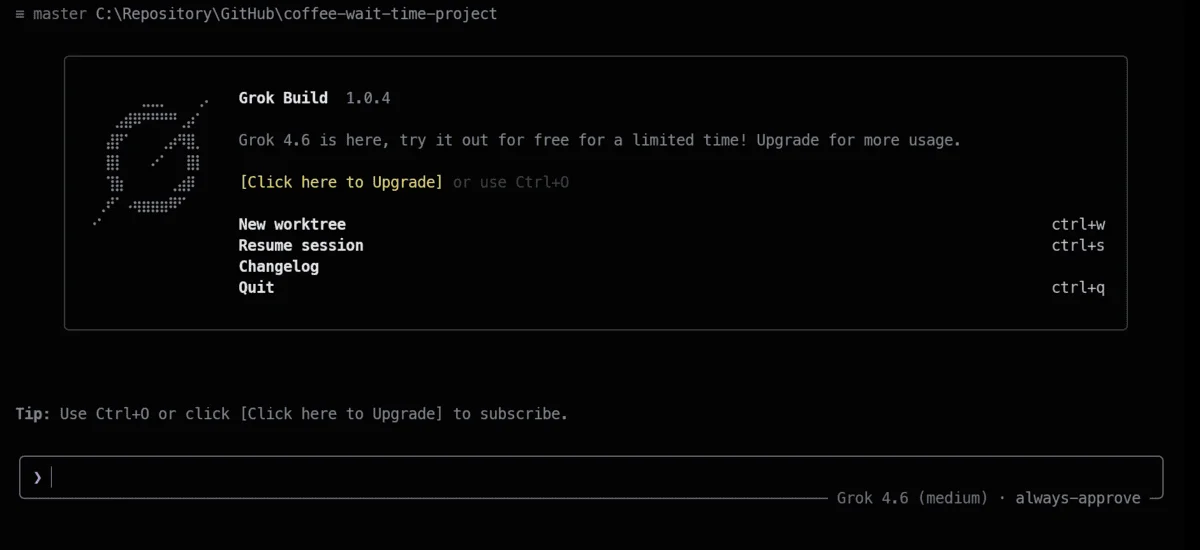
Upon initiation, Grok Build typically opens a browser for user authentication.
Prompt 1: Generating and Exploring the Dataset
The first task for Grok Build was to generate a realistic dataset, followed by data cleaning and exploratory analysis.
Prompt:
Create a beginner-friendly end-to-end data science project by generating 3,000 realistic coffee shop orders with customer waiting time as the target, save the dataset in data/coffee_shop_orders.csv, perform data cleaning and exploratory analysis, and save useful visualizations inside reports/figures.
After reviewing the project folder, Grok Build initiated the dataset creation and analytical workflow.
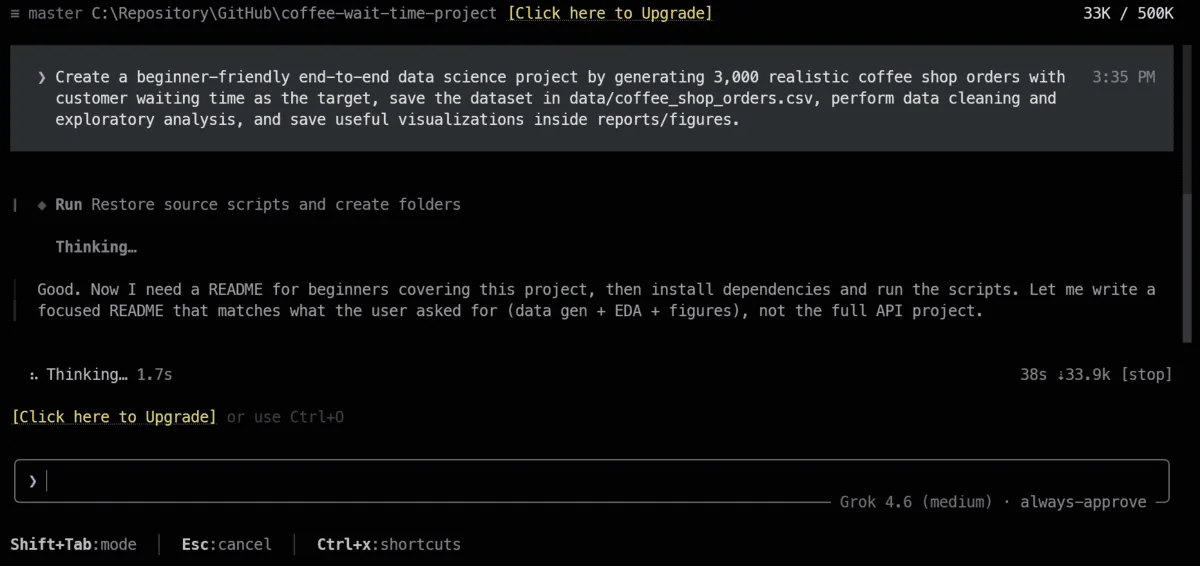
In under five minutes, Grok Build produced a cleaned dataset with 2,986 rows, addressing missing values and excluding 14 extreme outliers based on wait times.
The analysis provided compelling insights: the average wait time stood at roughly 10.5 minutes, with an increase of about 3.3 minutes during rush hours; staffing levels exhibited a strong correlation (0.68) with wait times.
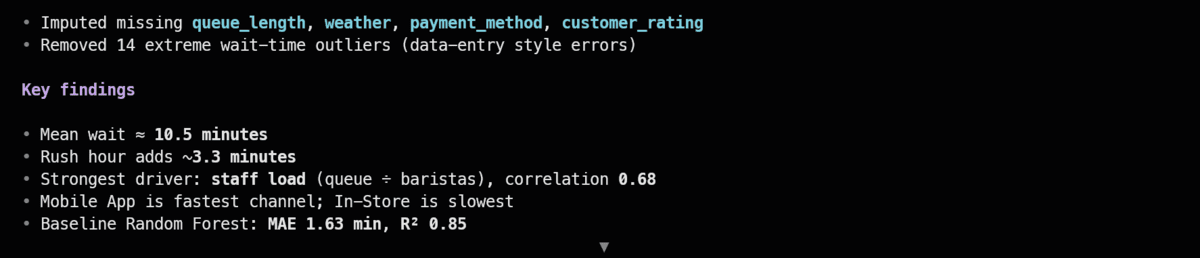
A baseline Random Forest model was also generated, achieving an MAE of 1.63 minutes and an R² of 0.85.
Prompt 2: Training and Evaluating the Models
Next, we prompted Grok Build to construct a data pipeline, train several models, and determine which one performed best.
Prompt:
Prepare the coffee shop data using a reusable scikit-learn preprocessing pipeline, train Linear Regression, Random Forest, and Gradient Boosting models, compare them using MAE, RMSE, and R², evaluate the best model with charts and test predictions, and save the complete winning pipeline as models/coffee_wait_time_pipeline.joblib.
Utilizing the cleaned dataset, Grok Build developed a scikit-learn preprocessing and training pipeline. When I encountered the free usage limit, I swiftly upgraded before issuing the "continue" command, and Grok Build resumed training without missing a beat.

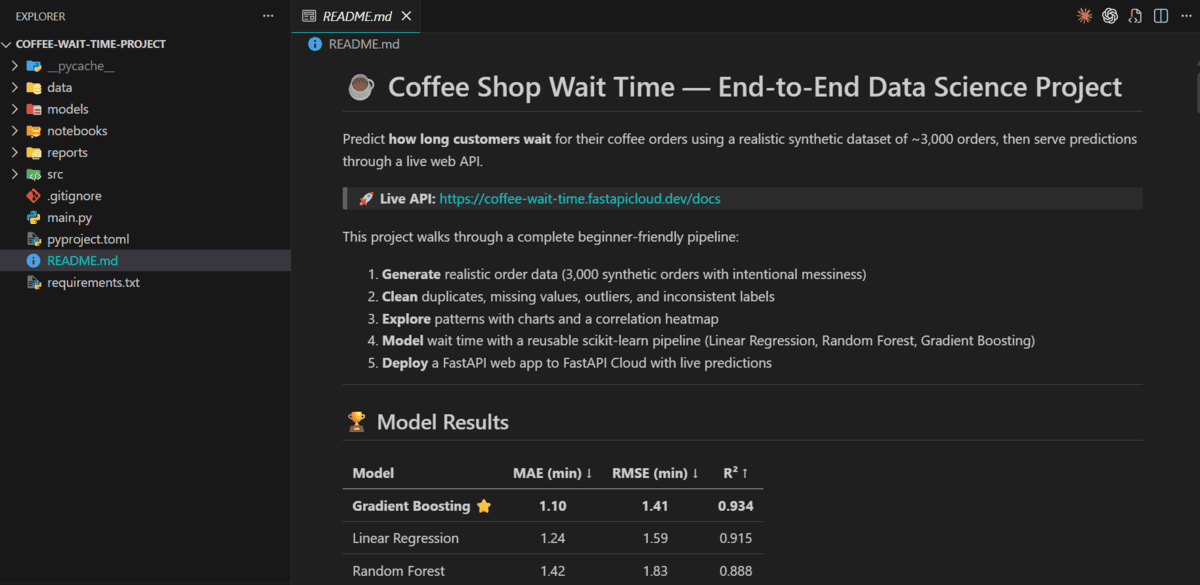
After training Linear Regression, Random Forest, and Gradient Boosting, Grok Build evaluated their performance on a test set containing 598 orders. The results indicated that Gradient Boosting achieved the best scores, registering an MAE of 1.101, RMSE of 1.408, and R² of 0.934. Linear Regression followed closely behind, with Random Forest taking third place.
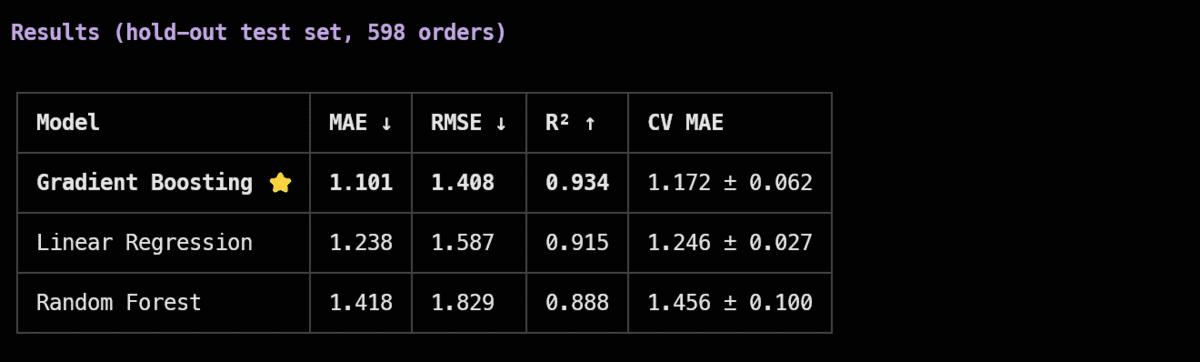
Having determined the best model, Grok Build preserved the pipeline under the name models/coffee_wait_time_pipeline.joblib, making it ready for subsequent phases.
Prompt 3: Building the FastAPI Application
We then directed Grok Build to develop a FastAPI application that would serve as a user-friendly interface to the trained model.
Prompt:
Create a beginner-friendly FastAPI application in main.py that loads models/coffee_wait_time_pipeline.joblib, provides root, health-check, and prediction endpoints, validates coffee order inputs with Pydantic, returns the estimated waiting time and a short explanation, handles errors clearly, and includes examples in the automatic API documentation.
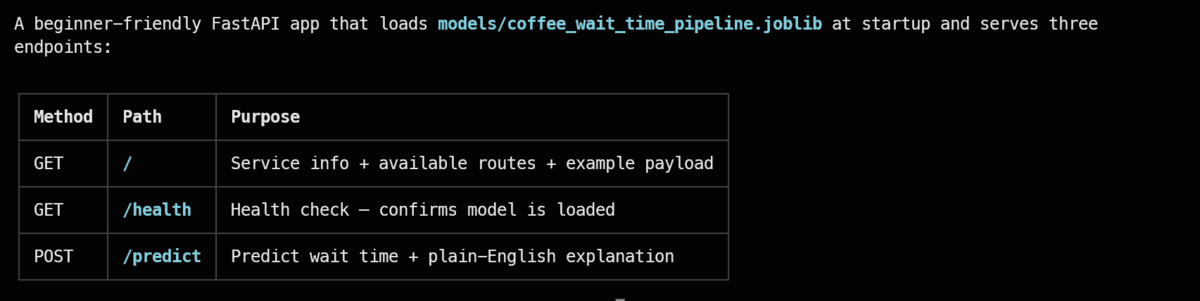
Grok Build initialized a FastAPI application that loads the previous pipeline on startup and offers three functional endpoints:
- GET / for service details and example usage
- GET /health to verify the model’s availability
- POST /predict to provide estimated wait times along with user-friendly explanations
Additionally, it integrated Pydantic for input validation, ensuring well-defined error messaging for invalid entries.
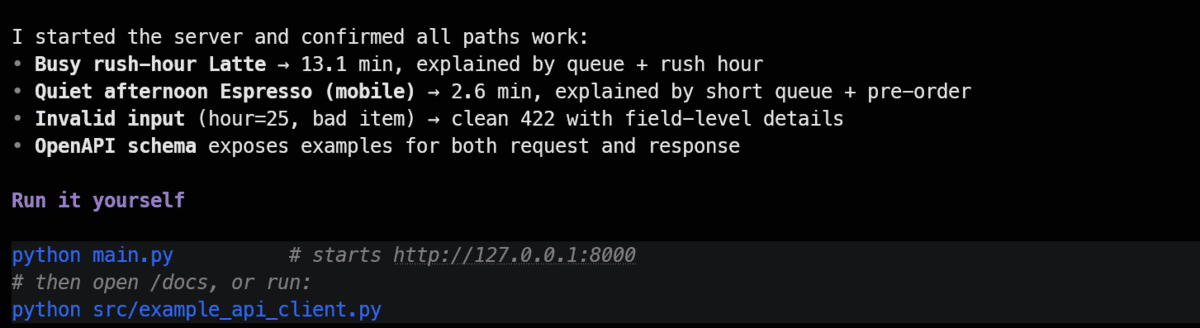
Before proceeding to deployment, Grok Build executed a series of tests on the API endpoints, ensuring functionality and reliability.
Prompt 4: Deploying to FastAPI Cloud
Finally, Grok Build was tasked with preparing the project for live deployment on FastAPI Cloud.
Prompt:
Prepare this project for FastAPI Cloud by confirming fastapi dev works, configuring the application entry point if needed, ensuring the saved model and required files are included, running fastapi deploy, pausing only if browser authentication is required, testing the live root, health, prediction, and docs endpoints, fixing deployment errors, and showing me the final public API URL.
During the deployment process, FastAPI Cloud required browser-based authentication. Following successful login, Grok Build proceeded to complete the deployment automatically.
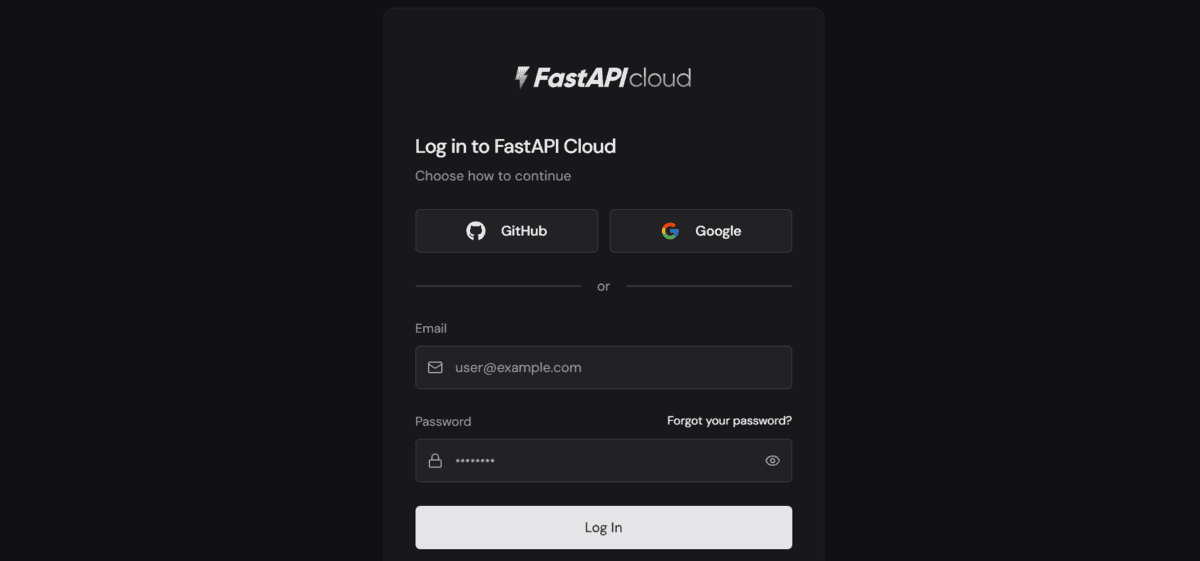
Upon completion, it provided the public URL for Swagger documentation and a command for testing the prediction endpoint.
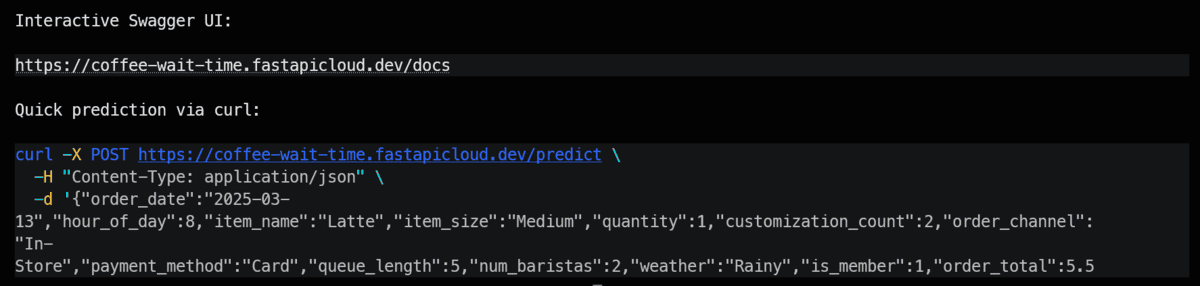
To test the live predictions, Grok Build provided the following curl command:
curl -X POST https://coffee-wait-time.fastapicloud.dev/predict \
  -H "Content-Type: application/json" \
  -d '{"order_date":"2025-03-13","hour_of_day":8,"item_name":"Latte","item_size":"Medium","quantity":1,"customization_count":2,"order_channel":"In-Store","payment_method":"Card","queue_length":5,"num_baristas":2,"weather":"Rainy","is_member":1,"order_total":5.50}'
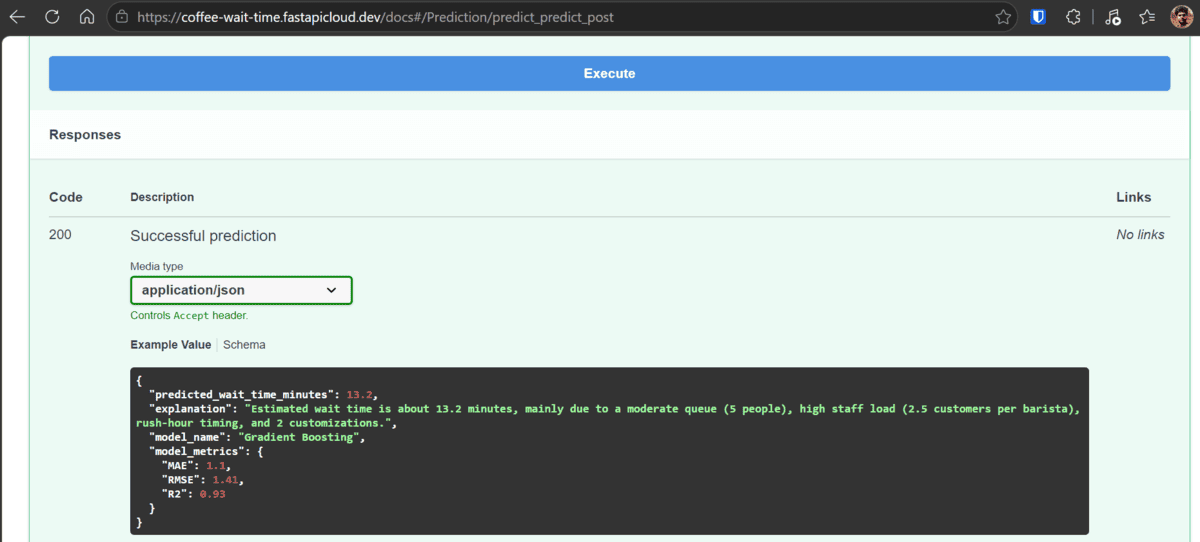
The live API response:
{
  "predicted_wait_time_minutes": 13.06,
  "explanation": "Estimated wait time is about 13.1 minutes, mainly due to a moderate queue (5 people), rush-hour timing.",
  "model_name": "Gradient Boosting",
  "model_metrics": {
    "MAE": 1.101,
    "RMSE": 1.408,
    "R2": 0.934
  }
}
This confirmed the functioning of the newly deployed model, preprocessing pipeline, and FastAPI prediction endpoints. It predicted an estimated wait time of roughly 13.1 minutes, providing additional insights into contributing factors like queue conditions.
Testing was also conducted through the live Swagger UI, reaffirming that the application operated as expected, delivering the predicted wait time along with performance metrics.
Upon project completion, Grok Build organized all components and updated the README file with a detailed workflow overview, model results, live API links, and instructions for operational procedures, thus simplifying project replication.
Final Thoughts
My experience with Grok Build for this project left me quite impressed. It managed the entire lifecycle efficiently, from dataset generation and cleaning through model training to the successful deployment of the application. Grok 4.6 certainly shows enhanced capabilities tailored towards serious coding requirements.
In many practical aspects, Grok Build now rivals Claude Code. The standout improvement lies in its adeptness with longer, multi-phase tasks, minimizing the need for frequent direction. If xAI continues to refine both the model and the terminal experience, Grok Build could soon emerge as a leading AI coding assistant in the field.
Abid Ali Awan (@1abidaliawan) is a certified data scientist professional who loves building machine learning models. Currently, he is focusing on content creation and writing technical blogs on machine learning and data science technologies. Abid holds a Master's degree in technology management and a bachelor's degree in telecommunication engineering. His vision is to build an AI product using a graph neural network for students struggling with mental illness.
Discussion
Sign in to join the discussion.