Google's Gemini is now live in Chrome for Android, offering smart page insights and an auto browse feature for enhanced productivity in the US.
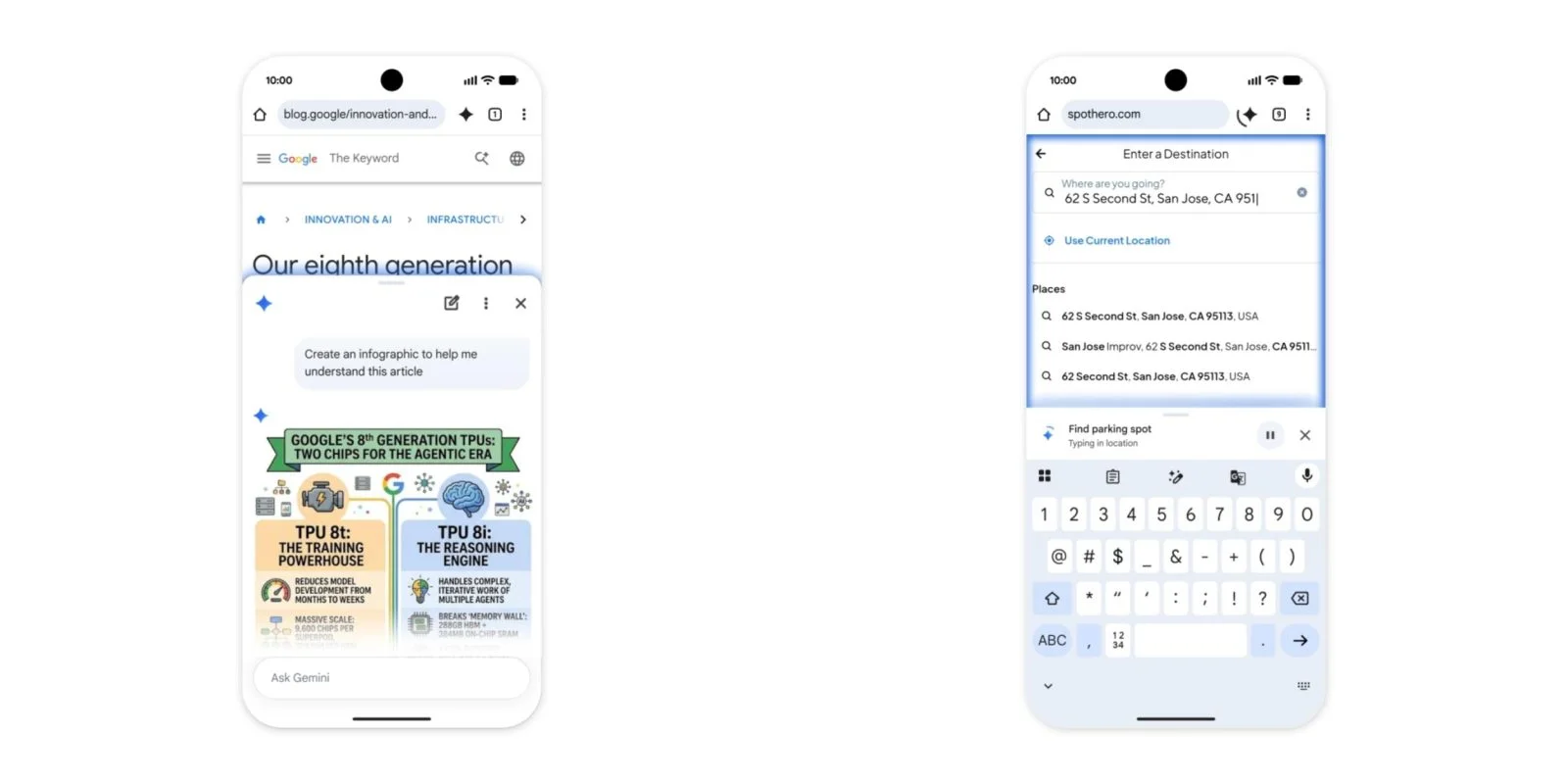
Google has officially launched its Gemini feature in Chrome for Android users across the United States. Following an initial preview back in May, the rollout is now complete. This latest development reflects Google's ongoing commitment to enhancing the user experience through continuous updates and feature additions. As the tech giant faces increasing competition in the browser market, such updates are becoming necessary not just for retention, but also to differentiate itself from rivals like Microsoft Edge and Mozilla Firefox.
How Gemini Works
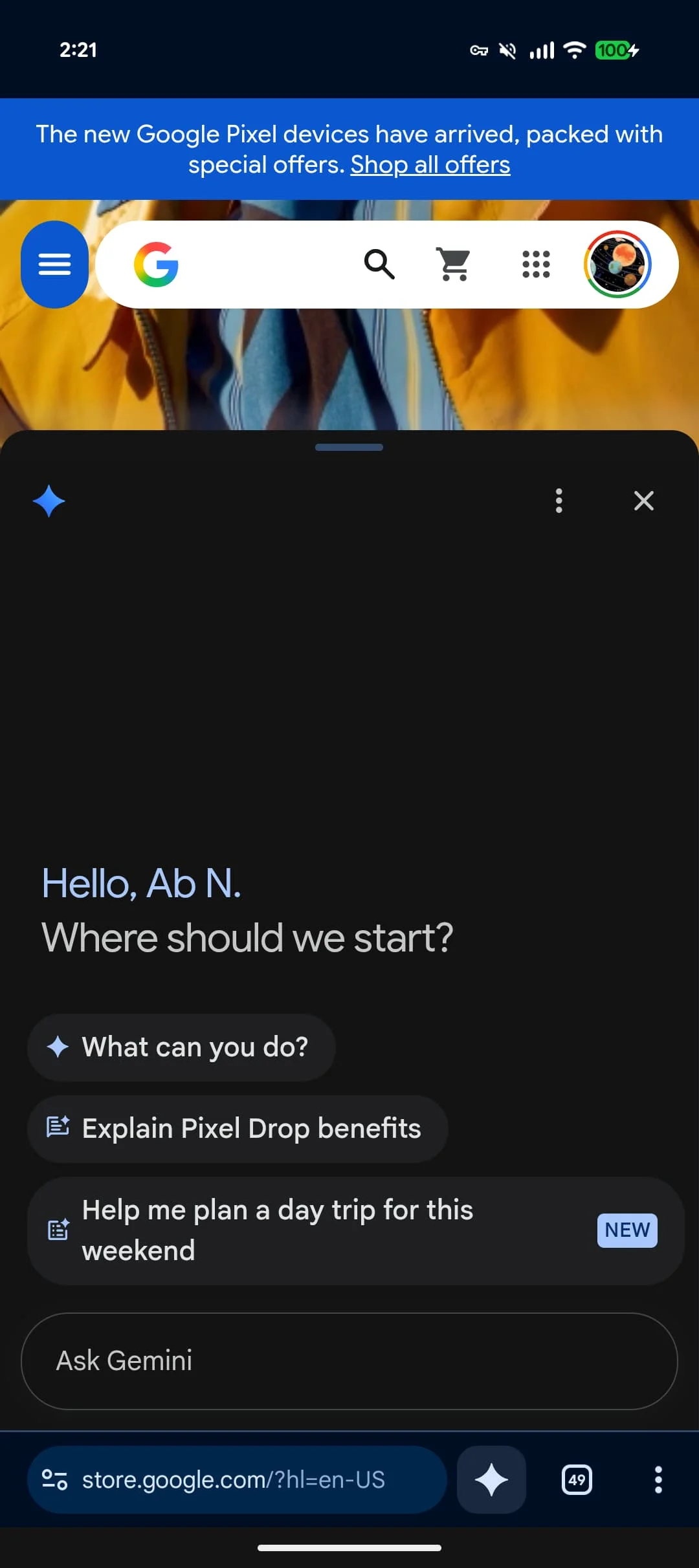
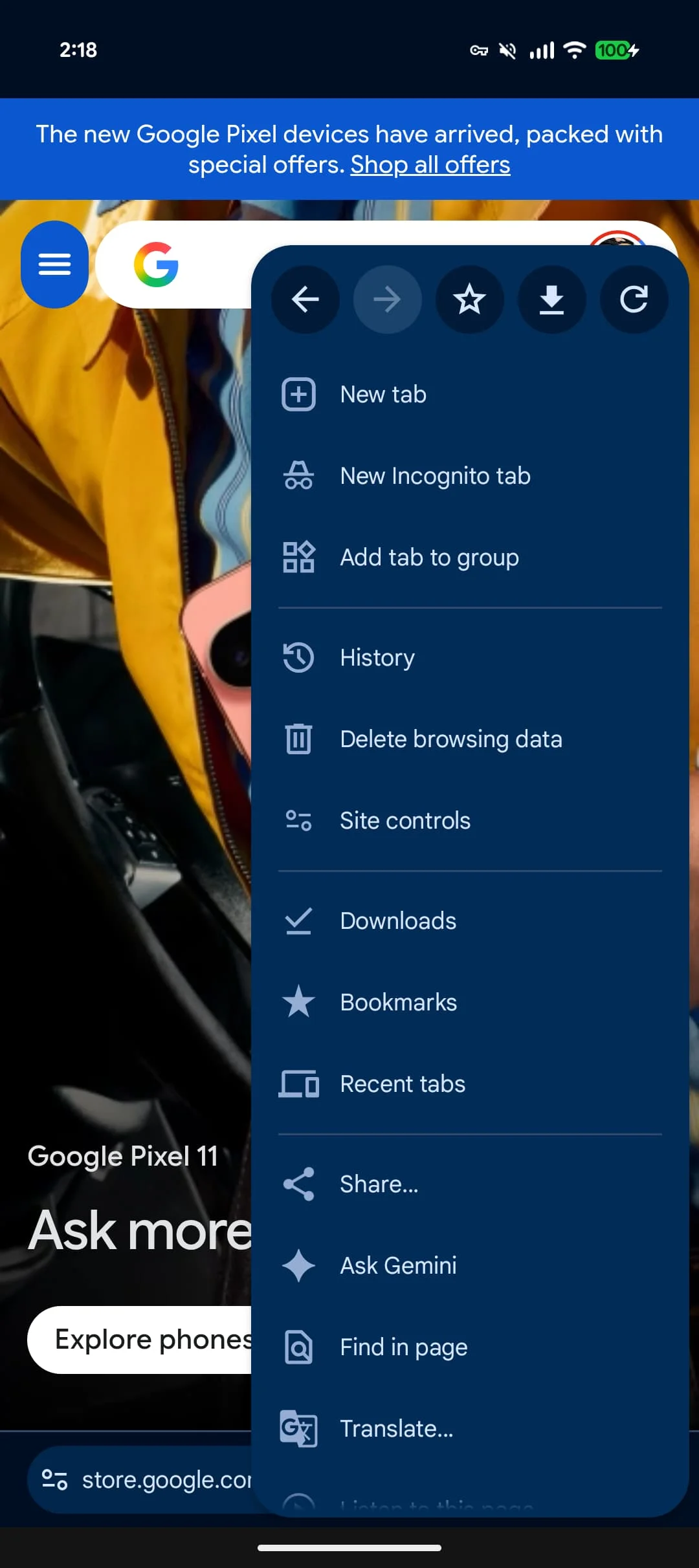
Accessible via a toolbar shortcut next to the address bar or within the overflow menu, Gemini allows users to enhance their browsing experience with minimal interruption. Clicking the spark icon unveils an interface that many desktop users will find familiar. However, this rollout goes beyond mere aesthetics; it integrates key functionalities that aim to streamline information retrieval and multitasking. The immediate question that arises is how effective this simplicity will be in actual usage.
Features and Functionality
Gemini in Chrome can act as a contextual assistant. It enables users to add the current page to their prompts. The ability to modify settings and disable this feature at their discretion emphasizes user control, something increasingly valued in today’s digital landscape. While this adds to flexibility, its effectiveness relies heavily on intuitive design. If you've ever tried to navigate a similar feature in another browser or app (and let's be honest, who hasn’t?), you might appreciate a well-designed interface much more than one that complicates tasks. The tools menu gives access to Personal Intelligence capabilities, linking often-used apps like Calendar and Keep. This creates a more integrated experience, allowing for seamless task management, albeit with the caution that users might have learned from past experiences with tech overreaching into personal space.

Auto Browse for Premium Users
Alongside the Gemini feature, Google is rolling out an auto browse function for its AI Pro and Ultra subscribers. This tool enables the AI to manage routine tasks like booking parking, adjusting online orders, and organizing travel plans, all inherently geared toward enhancing productivity. However, there's a critical point: for sensitive activities, such as making purchases, users will need to confirm their approval explicitly. This dual-layer verification adds an extra layer of security, which many users will likely welcome, given that security fatigue has become a significant issue in an age when breaches are increasingly common.
This integration marks a significant step in enhancing user productivity when using Google services, especially for those who are frequently juggling multiple tasks. Yet, the bigger question is whether this will resonate with the average user or remain in the realm of power users who can truly benefit from AI’s enhancing capabilities. Often, features like this seem designed for edge cases rather than everyday needs, which could limit their broader appeal. What’s fascinating is that many users still opt for manual navigation because they feel more in control or because they mistrust automated processes. If you’re working in this space, your experience may reflect those sentiments. Are users ready to relinquish some control in favor of efficiency? That remains a topic for discussion.
Implications and Future Outlook
The launch of Gemini and the auto browse feature illustrates Google’s strategy to enhance user engagement through personalization and AI-driven functionality. However, how significant these updates truly are will depend on user adoption and satisfaction. Will people find the interface useful enough to warrant its presence in their daily browsing? Or will it find itself ignored, like many features before it? As we look toward the future, there's a palpable tension between user expectation and technological capability. Features that promise efficiency may just add noise if not executed properly. This is where the user experience comes into play—a factor that could ultimately make or break the success of Gemini. Big players like Google have the resources to pilot these innovations on a grand scale, but the challenge remains: how to keep users feeling in charge, rather than overwhelmed. If indeed Gemini can strike that balance, we might be looking at something beyond just an incremental upgrade. But that remains to be seen.
Discussion
Sign in to join the discussion.