Exploring Google's Pixel 11 Pro: Enhancing User Experience with HiLight and Gemini Intelligence
Aug 19, 2026 · 470 views
Google's Pixel 11 Pro introduces HiLight and Gemini Intelligence, focusing on user well-being; however, initial functionalities may not meet expectations.
**Introduction to Google's Ambitious Vision**
As Google pushes forward with its latest flagship device, the Pixel 11 Pro, it isn't merely about specifications or hardware improvements. Instead, the company is taking a significant step by introducing Gemini Intelligence and a unique feature called HiLight. These innovations shift the narrative toward a more mindful use of technology, prioritizing user well-being along with device functionality. However, the initial execution of these features raises questions about their effectiveness in meeting their ambitious promises.
HiLight's User-Centric Approach
The story surrounding HiLight is arguably more compelling than the technology itself. Google is tapping into a growing sentiment: while many people cherish their smartphones, there's a real concern about becoming overwhelmed by them. This isn't just marketing jargon; it's a genuine response to user feedback. If you’re entrenched in this space, you’ll recognize that Google's position is more than simply following design trends; it represents a vision that prioritizes user experience over mere specs.
Yet, despite its promise, HiLight falls short of its intended impact at launch. While placing your phone face down is a common gesture for minimizing distractions, having a feature that only alerts you to important calls feels insufficient. It raises the question: is offering just two functions enough for a feature that aims to mitigate phone usage? If this is the extent of HiLight's capabilities, it risks becoming another neglected aspect of hardware design—an example of form without function.
The Whimsical Elements of Gemini Intelligence
On the other hand, Gemini's features evoke a mix of practicality and creativity. The status lights for listening, thinking, and responding may seem reminiscent of smart speakers, but they offer a playful touch that can enhance interactions. I find it truly delightful to issue a nighttime command to turn off the lights while my device charges face down—there's a certain charm to that. However, these benefits may not outweigh concerns over whether such features genuinely enhance functionality.
Hardware choices that lack sufficient features inevitably feel like wasted opportunities. In hindsight, sticking with an earlier sensor like temperature measurement could have been a wiser choice. Allowing time for the HiLight software to mature could produce a richer experience, which feels critical given the early criticism.
Future Prospects for HiLight
Looking ahead, there’s potential for HiLight to be more valuable, especially if it integrates messaging support—something that’s currently absent. The phrase “Who will you HiLight?” is catchy and has the potential to resonate with users. Link this functionality with Google’s Pixel VIP feature, and you've got a recipe for a campaign that could capture attention. Users need more than initial impressions; they need features that make a difference in their daily lives.
Google must act swiftly to roll out these enhancements. There’s a fine line between anticipation and frustration, and saying improvements are “coming soon” can easily translate into months of waiting. So far, HiLight hasn't wowed anyone, and this initial skepticism is something Google will need to address to win over its audience.
As we ponder the implications of HiLight and Gemini Intelligence, it’s clear that Google is striving for innovation, though how effectively these aspirations manifest remains to be seen. In a market saturated with devices, the question looms large: can Google offer something that genuinely changes the way we engage with our smartphones?
Design Preferences and Performance Insights
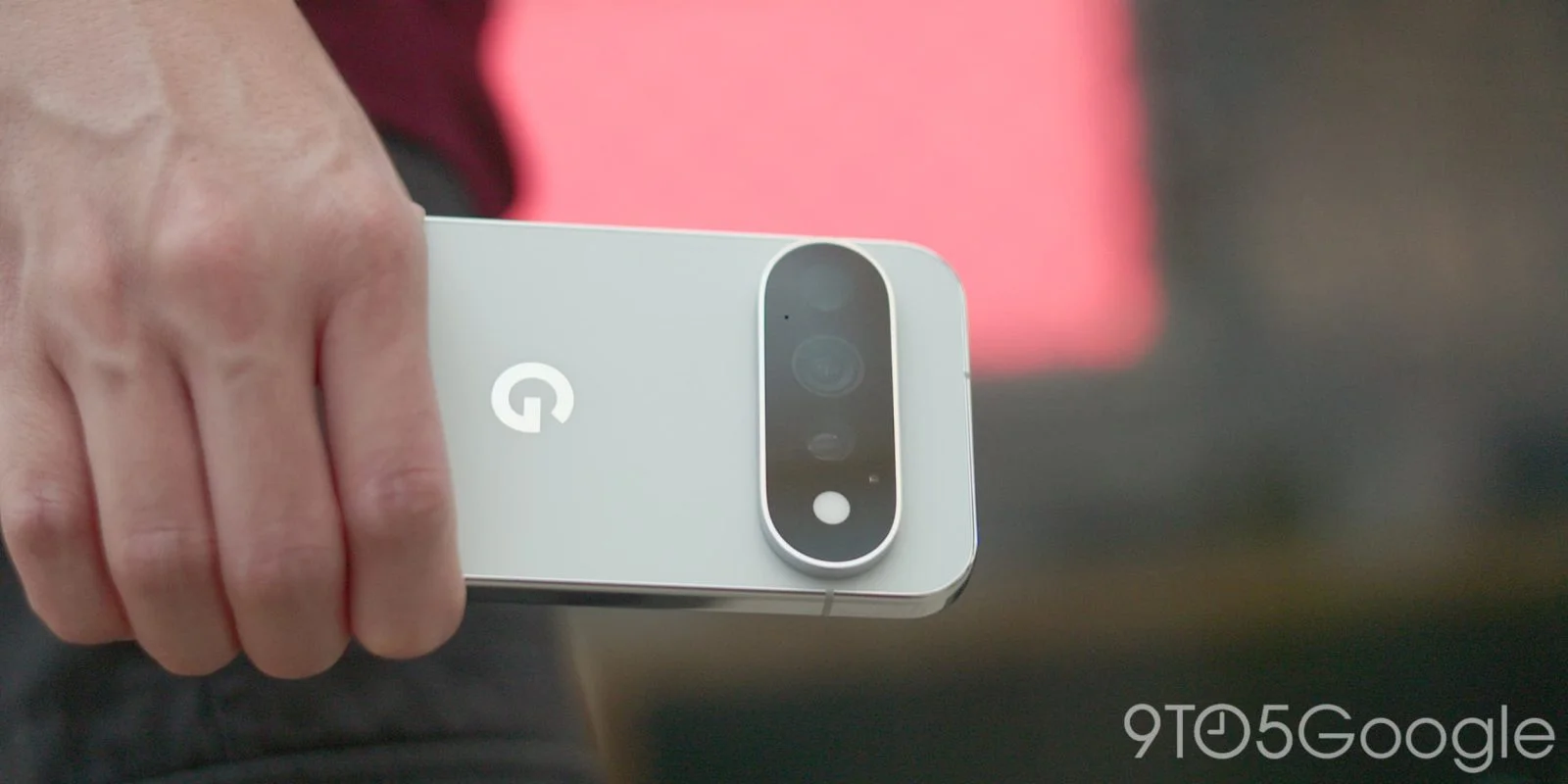
Over the past year, my go-to devices have included the Pixel 10 Pro and the more streamlined Pixel 10a. The moment I returned to the 10 Pro for this review, I realized just how much I appreciated the simplistic elegance of the Pixel 10a. Google seems to be catching on to this trend, as evidenced by the base Pixel 11's design tweaks—such as minimizing the camera bar's protrusion. A flatter surface means less dust accumulation from pockets or bags, something I noticed right away after switching back to the flagship model.
What stands out about the Pixel 11 Pro's camera bar is its sleek edge-to-edge design. While the previous model had its charm with mixed materials, I'm partial to this cleaner, minimalist look. The newer finish on the Pixel 11, especially the matte Obsidian color, signals that Google is moving toward a more refined aesthetic.
Weight and thickness are often touted as impressive metrics, but the Pixel 11 Pro offers only a modest reduction—it's just three grams lighter and 0.2 mm thinner than its predecessor. For everyday users, these numbers are scarcely noticeable. From my experience with the iPhone Air, there's a clear trend toward thinner devices, but not everyone is willing to compromise on durability for that sleekness.
The review unit I tested featured an impressive 16 GB of RAM paired with 512 GB of storage. To be honest, I wouldn't have minded the 12 GB variant, since the 8 GB on my Pixel 10a held up perfectly well over several months.
Shifting to performance, the Tensor G6 processor does boast benchmarks indicating quicker app launches (15% faster) and browsing (25% faster), but these improvements are subtle at best during everyday use. One area where you'll notice a real upgrade is computational photography; the enhanced Image Signal Processor and significantly more powerful Tensor Processing Unit allow for faster processing, with Instant Night Sight being a marquee highlight.
On the NFC front, the new chip setup doesn't change much, aside from improving the Tap to Share feature for quick image transfers. However, using HiLight requires you to place the phone face down—a hassle for anyone who prefers to keep their device case-free. In my attempts to get to grips with this, I found using it with Google’s Pixelsnap Clear Case lasted less than a day. While it works on softer surfaces like couches or beds, putting it down on a glass desk presents real risks.
After several days of testing, I discovered that the “2x Scratch Resistant Display Coating” wasn't quite bulletproof. Colleagues have already reported minor scuffs, reinforcing the notion that while marketing claims entice, they don't always hold up under real-world conditions.
When it comes to battery life, the Pixel 11 Pro hasn't shown significant improvements yet. Google confidently ups its estimated battery life from “24+ hours” to “30+ hours," though the actual capacity has dropped by 20 mAh. Early impressions suggest little gain, which may leave some users questioning whether this claim is just a numbers game.
Then there's the Quick Tap feature, allowing users to perform tasks by tapping the back of the phone. Despite promises of better precision, it seems that any progress has been minimal at best, leaving us hoping for better responsiveness in future iterations.
Camera Features
While my colleagues will delve deeper into the camera capabilities in the Pixel 11 Pro XL review, I have to highlight the fun factor of Camera Looks. Plenty of third-party apps offer similar features, such as Snapseed, which is surprisingly free. However, having this function baked directly into the camera interface significantly increases the likelihood of using it. Instinctively, when a moment arises, I find myself double-tapping the power button to capture it swiftly.
The Camera Looks feature brings several styles to the table. Alongside the classic Original Pixel HDR, you'll find Natural for softer details, Shadows for increased contrast, and Vanilla for a warm, inviting glow. You can set one as your default, persisting through app restarts—a week in, I’m still undecided whether to move from the Original setting.
For those who prefer variety, Google has introduced Stylistic Looks that reset after each session, including Editorial, Velvet, Classic, Digi, Black Tie, and Minimal. The last one, especially, aligns with the trend toward embracing less processed imagery, similar to what many third-party apps are already doing.
Navigating these features is now easier with updated Quick Access controls, letting you customize which sliders appear next to the viewfinder—options include White Balance, Exposure, and ISO, among others. This new approach does a much better job of surfacing pro controls than previous menu layouts, making it more intuitive and streamlined for the user.
Final Thoughts on the Pixel 11 Pro
The Pixel 11 Pro presents itself as a commendable smartphone, yet it navigates through a complex narrative filled with mixed expectations. While Google has leveled up its camera features—specifically highlighting Instant Night Sight and Magic Capture—there's a lingering skepticism that stems from its reliance on AI enhancements.
If you're in the tech space, you'll understand the deeper implications behind Google's push for more assistive AI functions. Trust is key; users need confidence that these features are not just marketing jargon but actually usable tools that enhance daily experiences. The introduction of an effortless Magic Capture mode is a prime example of this ambition, making photo and video capture as intuitive as pressing a button. Still, many will be left questioning whether these innovations address genuine consumer pain points or merely serve as flashy additions to an already competitive market.
That said, the Pixel 11 Pro's hardware and software deserve commendation. Google’s investment in camera technology continues to yield impressive results. Notably, the drastic increase in speed for nighttime photography, touted as a 4.5x improvement from previous models, is a significant enhancement. It makes the prospect of snapping that elusive, in-motion shot more feasible—an appealing feature for active photographers.
Eventually, however, the phone's appeal is enmeshed in broader industry narratives. The current constraints posed by events like the RAMageddon fiasco threaten to overshadow individual hardware improvements. It's critical to acknowledge that while the Pixel 11 Pro is equipped with fantastic features, its presence in the marketplace is influenced heavily by external factors.
So, what's next for Google? The company has laid the groundwork, but it must back up its innovative promises with consistent execution and reliability. If they can manage to align user expectations with real-world performance metrics, the Pixel 11 Pro could very well solidify its standing in a crowded arena.
For those considering a purchase, check out [Google Store](https://www.tkqlhce.com/click-101815078-15751464?url=https%3A%2F%2Fstore.google.com%2Fproduct%2Fpixel_11_pro&sid=abnerli%3ASCTIBJ), [Amazon](https://amzn.to/4x6RD9h), or [Best Buy](https://bestbuy.7tiv.net/c/126147/614286/10014?subId1=abnerli&subId2=IWYQG4&sharedid=abnerli&u=https%3A%2F%2Fwww.bestbuy.com%2Fproduct%2Fgoogle-pixel-11-pro-512gb-unlocked-obsidian%2FJ39TC823H7&partnerpropertyid=8424468) for your options, and stay tuned, as Google is likely to continue refining its approach with every iteration.
Discussion
Sign in to join the discussion.