Pixel Weather gets a visual refresh and a new name for its AI feature, with minor interface changes enhancing user experience.
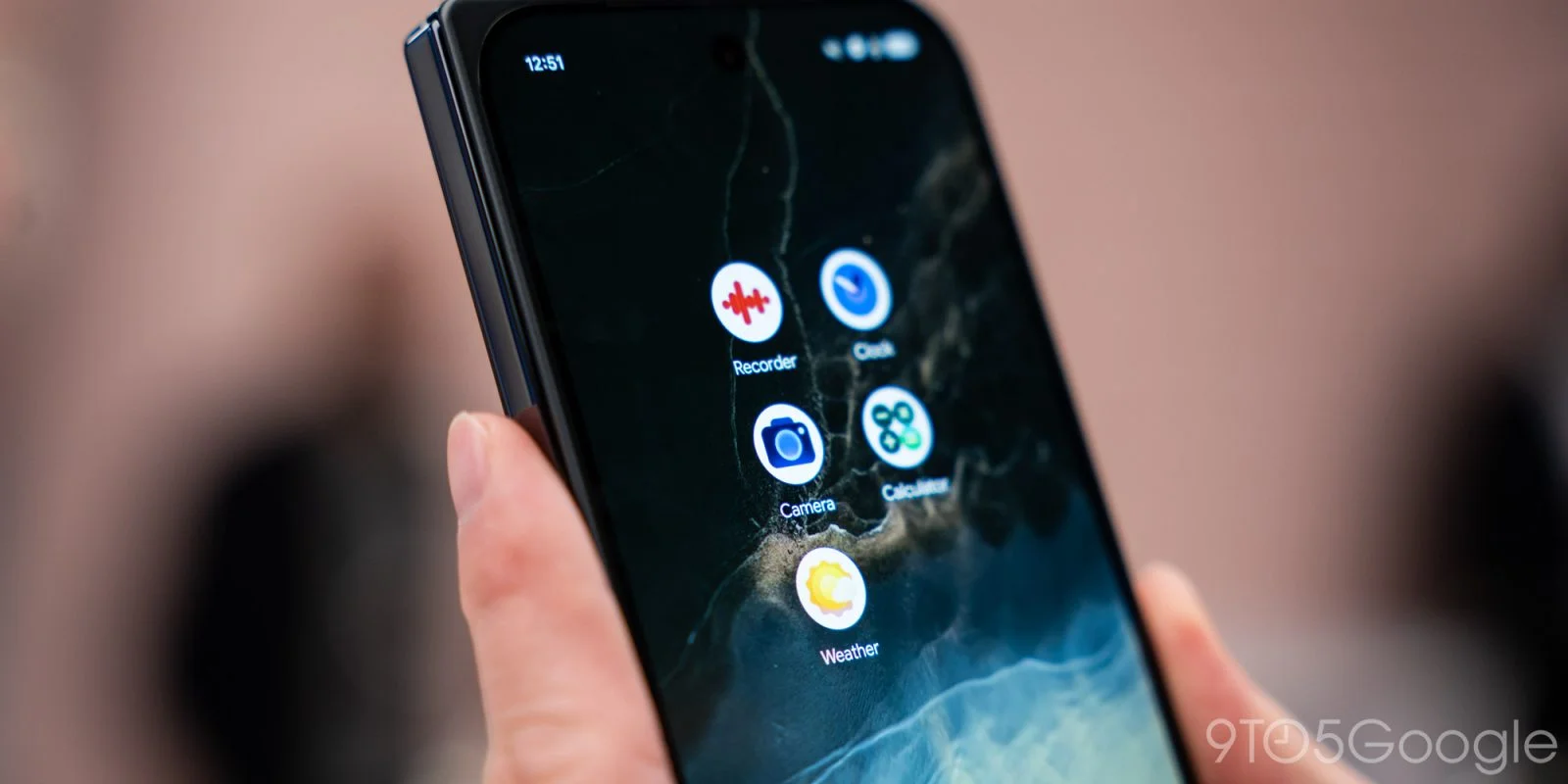
The latest update for the Pixel Weather app introduces a refreshed icon along with some subtle interface modifications.
Design Language Shift
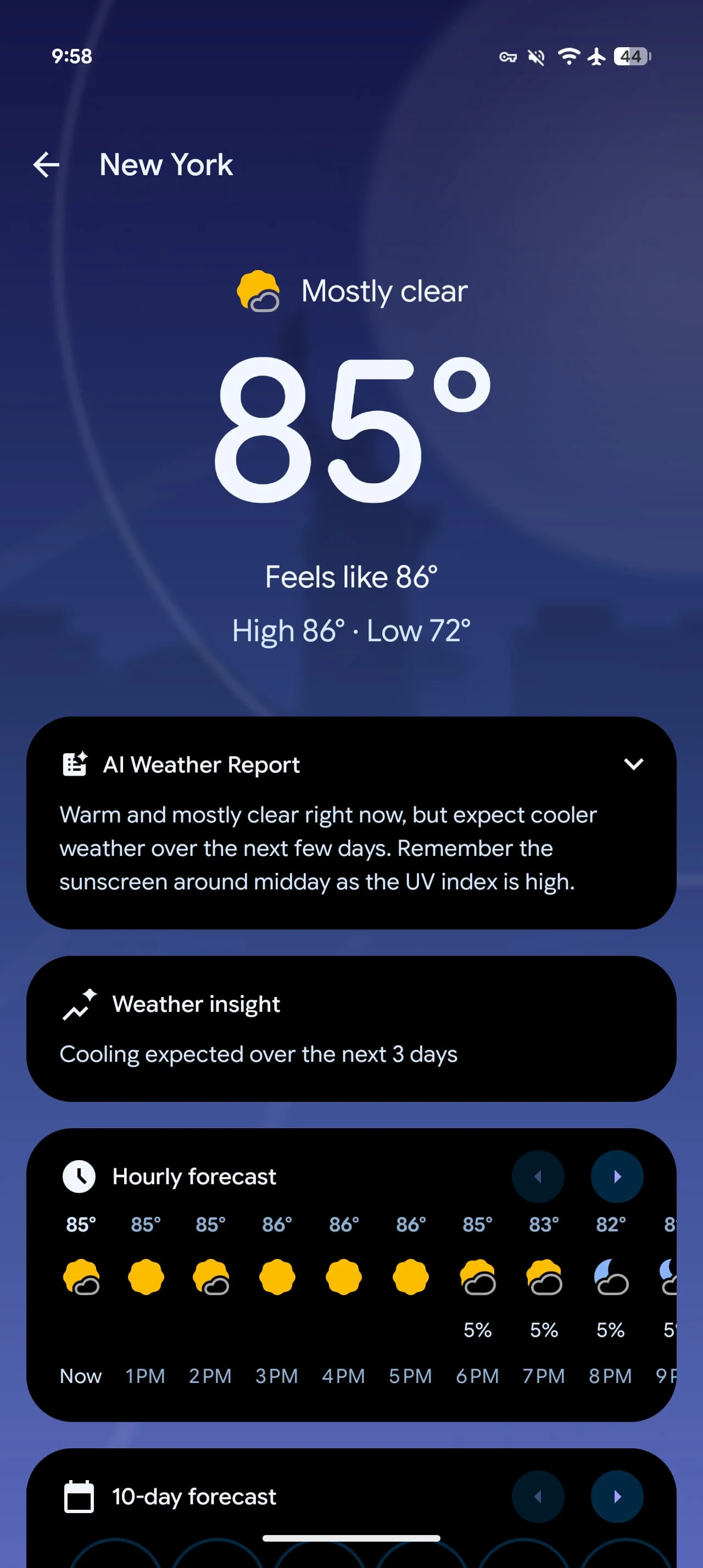
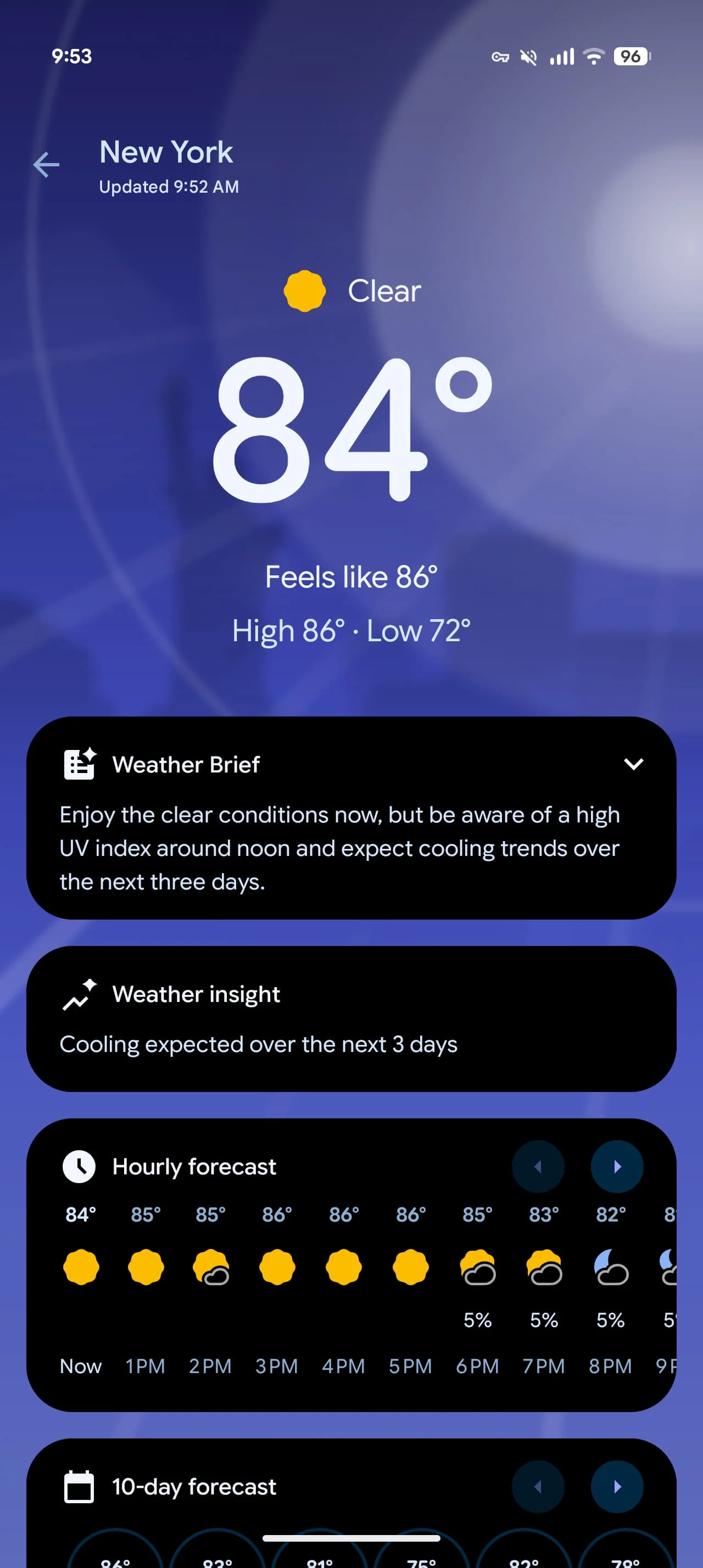
Gone is the blue background that previously mimicked the sky; this change is part of an ongoing effort to standardize the visual elements across Pixel applications. Google aims to create a more cohesive user experience by aligning the design aesthetics of different apps. This trend can be observed across other prominent applications like Google Recorder and Calculator, which have also received similar updates recently. Despite the relatively minor nature of these changes, they reflect Google's commitment to a unified branding strategy across its software ecosystem.
Functional Updates
The app now consistently displays an "Updated xx:xx" timestamp directly beneath the city name in the top-left corner, ensuring users are aware of the most recent weather data. This seemingly simple feature addresses a common complaint among weather app users, who often question how current the displayed data is. Transparency about data updates can significantly enhance user trust and satisfaction; after all, knowing you're looking at real-time information is paramount for decisions dependent on weather conditions.
Old vs. new
Feature Adjustments
In addition to the icon changes, the feature previously labeled as "AI Weather Report" has now been renamed "Weather Brief." However, there haven't been any significant updates to its functionality. This move comes amid a shift in how Google presents its AI services, perhaps aimed at clearing up confusion about what the integration of artificial intelligence means for users. "Weather Brief" sounds less technical and more user-friendly, allowing for broader appeal. But this name change raises questions about whether users will actually see a meaningful enhancement in the core features.
Widgets remain unchanged, with Pixel Weather still offering only two styles, leaving room for further customization that many users could appreciate. In a market where personalization is increasingly valued, a lack of widget variety could undermine user engagement. If you're working in this space, you'll understand how crucial it is for a weather app to keep up with competitors that offer more flexibility.
The update, identified as Pixel Weather 1.1.20260626.962582759, is currently rolling out widely through the Play Store. As distribution ramps up, users should check their app settings to ensure they're updated.
More on Pixel apps:
- Pixel Thermometer gets new gradient icon on its way out
- Pixel Screenshots updated with new date and app filters
- Pixel Journal update brings cloud-based Private AI Compute, UI tweaks, & more
Implications and Future Outlook
While this update does polish the interface and falls in line with Google's broader design philosophy, the more significant question revolves around functionality. Will these tweaks attract new users or even retain existing ones? A mere cosmetic overhaul won't cut it in today's competitive market for weather apps. Users are seeking advanced features like hyperlocal forecasts, predictive alerts, and customizable notifications.
What's more, this focus on visual consistency might signal an intent from Google to position its hardware and software as an integrated experience. As more users rely on smart devices for everyday tasks, clarity in app functionality and appearance will be key. This trend could have wider implications, potentially reshaping how users perceive not just Google's offerings but the entire ecosystem of digital tools they interact with.
As the Pixel Weather app evolves, paying attention to user feedback will be vital. Google can't afford to take user satisfaction for granted, especially when rival services offer more customizable and granular options. With that in mind, future updates should ideally bridge the gap between aesthetics and robust functionality if Google wants to maintain its market position.

Discussion
Sign in to join the discussion.