Gboard now allows beta users to adjust emoji size and density, improving interface personalization for Pixel 11 series devices.
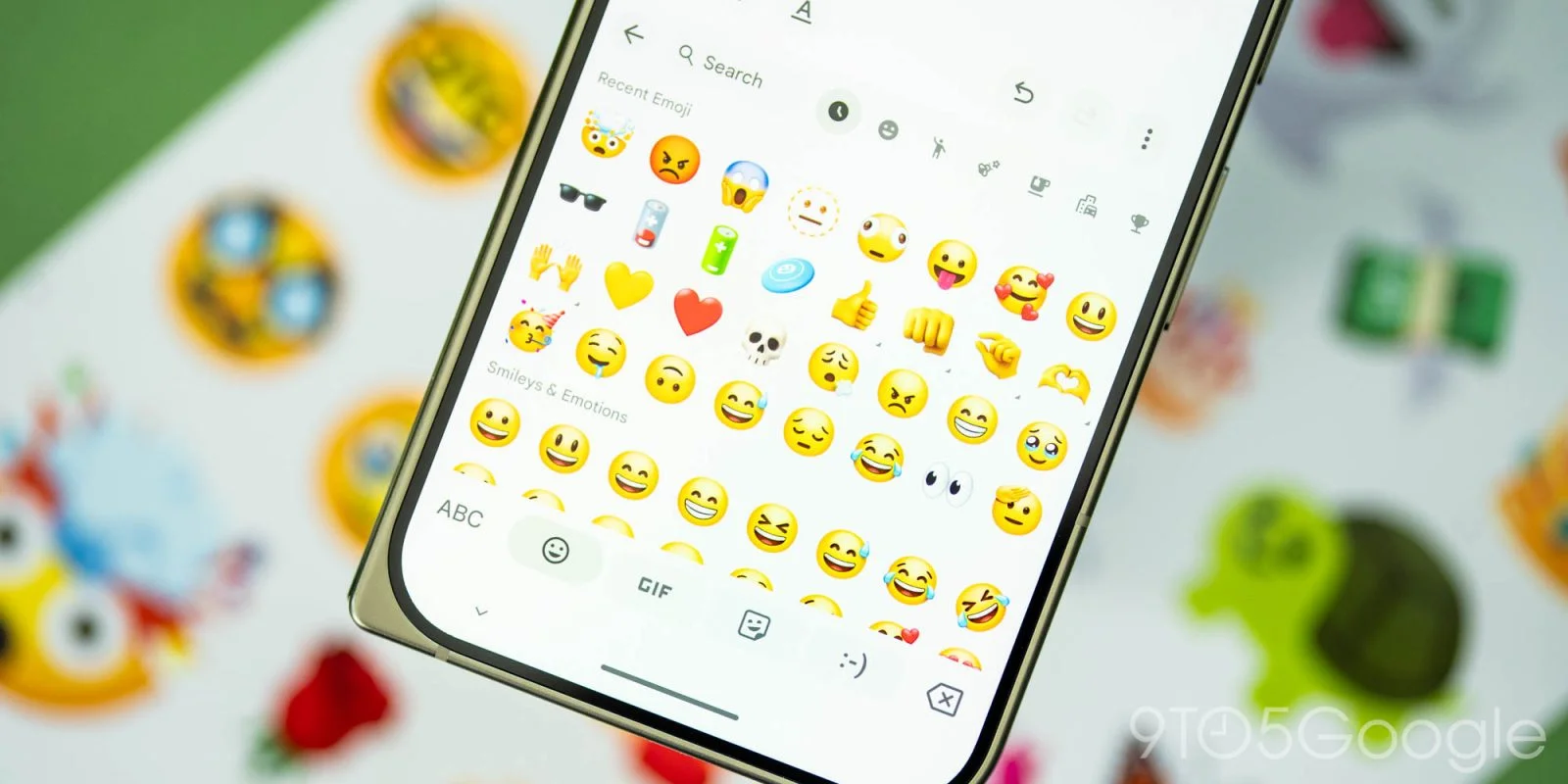
With the launch of the Pixel 11 series, Gboard is betting on personalization by introducing a new “Emoji size” feature for beta users. This function allows users to tailor their emoji display settings to better suit their preferences.
Exploring Emoji Personalization
The increasing emphasis on personalization within digital communication tools is more significant than it looks. As users become more expressive through their messaging platforms, the need to customize fundamental elements like emojis is clear. Emoji’s role in communication has evolved—they aren’t just fun pictograms; they often convey emotions and tone that plain text simply can’t, bridging gaps in virtual conversations. Gboard's new feature is a recognition of this trend and aims to cater to individual user preferences when it comes to their visual language.
To access this feature, navigate to Settings > Preferences > Appearance, where a slider can be found beneath the Font size option. This slider enables you to modify the count of emojis displayed per row, while Gboard offers a live preview above the slider for visual feedback. This interactivity enhances user experience by providing immediate visual reinforcement of changes, helping to engage users in a more dynamic manner with their keyboards.
Default Settings and Customization Options
The default configuration displays nine emojis, with an option to reduce it to five. On the Pixel 10 Pro, users can choose from specific increments: 9, 8, 8+, 7, 7+, 6, and 5. The 'plus' options slightly enlarge the emojis while maintaining row density, allowing for both visibility and character count. This level of granular control presents an opportunity for users to optimize their messaging interface, ensuring that emojis are not just plentiful but also legible and aesthetically pleasing.
In a world where social media and messaging apps are often at the forefront of digital interaction, the ability to customize something as fundamental as emoji size speaks to a broader shift in how tech companies approach user engagement. By allowing users to tailor their experience, Gboard is positioned to keep pace with growing expectations around interaction elements, which is particularly vital in an era where mobile expression is paramount. But, there remains skepticism about whether such personalized features will significantly impact the average user’s day-to-day experience, particularly if the options are not widely recognized or understood.
Testing the Changes
To fully experience these updates, users should head to the Emoji page. However, it's essential to note that these adjustments do not impact the Emoji Kitchen interface located at the top of the menu. While this feature adds a layer of customization for emoji display, the restriction means that Gboard is still limiting some aspects of emoji manipulation to maintain a uniform interface.
This modification serves to enhance appreciation for Google's refined design elements, particularly as they roll out features along with beta version 18.0.3.x of Gboard. The continued focus on user-friendly design is no accident; especially as competitors in the messaging space evolve. In honing in on what makes the user experience better, Google is making a strong case for why they remain a leading player in the keyboard market.


Significance of Gboard Updates
The Emoji size feature represents a critical step in ensuring Gboard stays relevant in a rapidly changing digital environment. With competition for user attention fiercer than ever, employing strategies that enhance personalization is more than just a nice-to-have—it's essential. This feature doesn’t exist in a vacuum; it aligns with a broader tech movement that prioritizes user agency and customization across all platforms.
As Gboard users become accustomed to this new level of control, it’s expected that they'll push for even more personalization options. If you're working in this space, the broader implication is clear: user customization is becoming a battleground for keyboard apps. And yet, accessibility will remain a crucial factor in determining whether features like this gain traction. Will casual users embrace these changes or stick to existing defaults? That remains to be seen.
Discussion
Sign in to join the discussion.