The Pixel 11 Pro Fold introduces App Handles, elevating multitasking on foldables with convenient floating windows and improved accessibility.
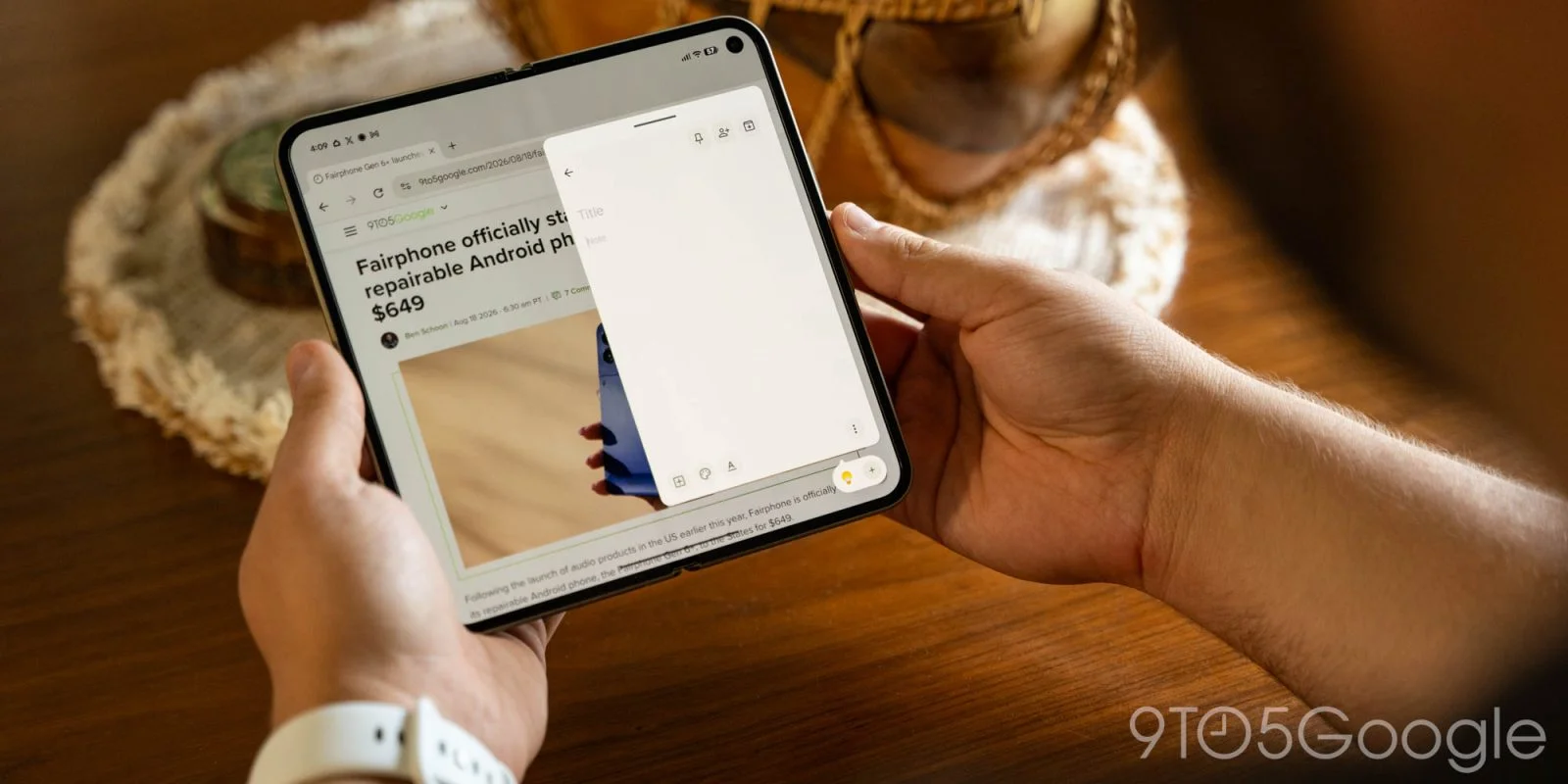
Google’s Pixel 11 Pro Fold has added a notable enhancement to its multitasking capabilities with the introduction of the App Handles feature. This innovation builds on the existing Bubbles functionality, creating a user-friendly dock for floating windows that can significantly streamline multitasking. In a landscape where productivity often hinges on efficient application management, these enhancements stand out.
Understanding App Handles
With App Handles, users can easily drag any app to the bottom-right corner of the display. Once launched, the selected app opens in a floating window that remains fixed in that position, allowing it to overlay on other running applications. Accessing the app is as simple as performing a swipe-up gesture from that designated spot. This straightforward approach makes it feel less daunting for users, particularly those who may not be familiar with more complex multitasking systems.
Floating windows on devices aren’t a new concept. Similar systems typically experience hiccups with accessibility and functionality. However, Google seems to have taken the user experience into serious consideration with this feature. In particular, the continuity from handle to bubble when the device is closed adds a layer of efficiency that is markedly user-friendly. The ease of swiping up and finding your preferred app could transform how users interact with their devices throughout the day.
Enhanced Productivity and User Experience
This feature allows users to store multiple apps simultaneously in the App Handles area, enabling effortless switching between them. It's more than just a neat trick—it's like having an additional layer of multitasking at your fingertips. The inner display can still support side-by-side app usage, further enhancing productivity without cluttering the screen. This dual approach offers a balance that meets modern expectations for multitasking.
During my first week with the Pixel 11 Pro Fold, I found App Handles to be my standout feature. While I've had experience with floating windows on devices like the Galaxy Z Fold series, their often erratic behavior led me to avoid using them regularly. Google’s implementation, however—especially the intuitive access gesture—has made me appreciate the potential of this multitasking feature. In a practical sense, the ability to switch between apps effortlessly could save users an incredible amount of time, making daily tasks quicker and more efficient.
Furthermore, when the device is closed, any apps designated as Handles transition into Bubbles on the cover display, maintaining immediate accessibility. This fluid transition from one mode to another exemplifies Apple's vision of a user-centric experience. Users can easily juggle their obligations, be it work notes or messages, without needing to interrupt their workflow. When combined with the underlying operating system’s capabilities, App Handles present an attractive solution for professionals on the go.
The Case for Flexibility
App Handles allow multitasking without overwhelming the user interface, offering a flexible alternative to full split-screen modes. This sort of functionality is especially beneficial when formatting issues occur or when a single app needs the full display attention. By not compromising the user experience, Google strikes a balance many manufacturers fail to achieve.
Practical Use Cases
Here are a few ways I've effectively utilized App Handles. You might find these suggestions resonate with your own daily habits:
- Having Google Keep readily accessible for quick note-taking.
- Maintaining a messaging app available without disrupting my workflow.
- Accessing Chrome to conduct brief research while engaged in another application.
The flexibility of this feature is impressive. Its potential for diverse use cases will likely inspire users to tailor the experience to their specific workflows. After all, personal productivity isn’t one-size-fits-all, and Google’s adaptability recognizes that fact.
Comparative Analysis with Competitors
In my view, App Handles ranks among the most beneficial features introduced to foldable devices recently. It’s comparable to the Open Canvas feature seen on the OnePlus Open and may even offer greater utility in practical scenarios. While other manufacturers have made strides with similar multitasking features, Google's approach seems to have a certain fluidity that can’t be ignored. This makes me wonder: what are other companies like Samsung doing with their own software ecosystems? The Pixel 11 Pro Fold shines a light on these inconsistencies by simplifying multitasking where others complicate it.
I look forward to seeing other Android manufacturers, particularly Samsung, integrate similar multitasking capabilities. The Pixel 11 Pro Fold is now available, and there’s a strong possibility that App Handles may soon extend to earlier Android versions through future updates. However, it raises a legitimate question: will competitors adopt these features, or will they attempt to create their own unique versions? If you're working in this space, staying ahead of such trends will be essential for your product’s sustainability.
Future Outlook for Multitasking Solutions
As devices evolve, so too do user needs and expectations. What this means for you is that the incorporation of features like App Handles could dictate the future of multitasking on mobile devices. The onus is on manufacturers to not only keep up but also to innovate in ways that genuinely enhance the everyday user experience. As pressure builds to offer more seamless interactions, could Google be setting a new standard that others will inevitably feel the need to follow?
Discussion
Sign in to join the discussion.