The latest Gemini overlay update introduces a customizable bubble feature for multitasking on Android, streamlining user interactions.
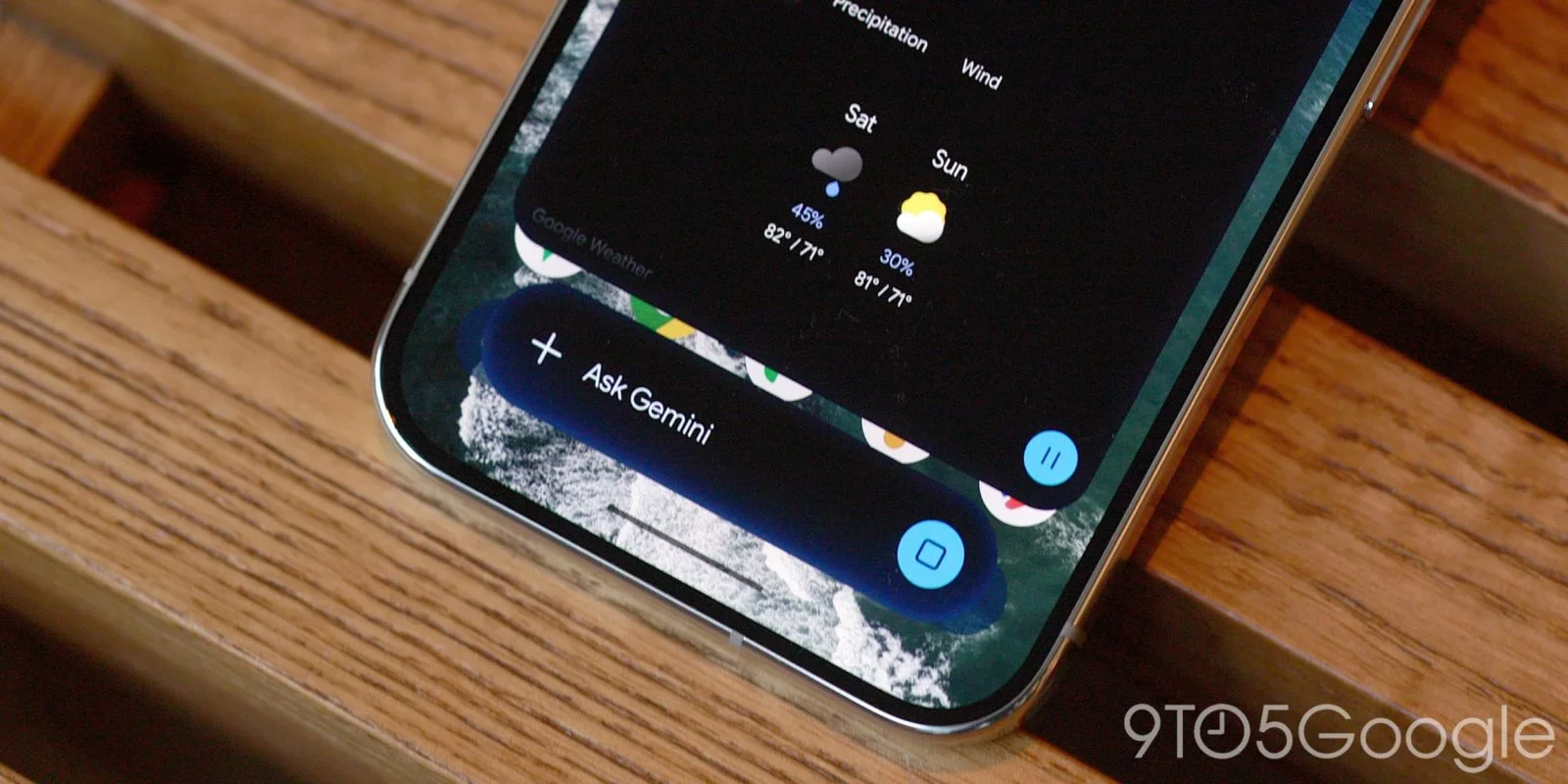
Google's Gemini overlay for Android has recently rolled out an exciting multitasking feature, enabling users to minimize their conversations into a floating bubble. This allows for quick access while working on other tasks.
User-Centric Multitasking Features
Multitasking is no longer just a convenience; it's a necessity in today's fast-paced work environments. Google has taken a step towards addressing this need with its Gemini overlay upgrade, which lets users minimize their conversations into a floating bubble. This functionality isn't entirely new—apps like Facebook Messenger have popularized this type of feature, but the integration into Google's ecosystem packs some unique advantages. With the Gemini overlay, navigating between tasks can feel less disruptive, which contributes to a smoother workflow.
Upon entering a prompt, a “Minimize” button appears above the overlay, which is centered conveniently for user accessibility. After receiving a response, the overlay collapses into a bubble adorned with the spark logo. Google markets this feature as empowering users to multitask “effortlessly.” The claim sounds appealing on paper, but how well does it live up to the promise? The true test lies in the execution: while the interface of minimizing and expanding the overlay is user-friendly, the experience can vary based on how users manage their screens and apps.
Design and Functionality Limitations
However, there are some limitations to note. The bubble can be fixed to one of six designated positions on the screen and isn’t fully movable. This could frustrate users who prefer more control over their layouts, especially those accustomed to free-floating icons and interactive elements. A fixed position might seem like a minor design choice, but it can greatly impact user satisfaction. If you're working in this space, a flexible UI is often critical for productivity.
Additionally, a bug has been reported where the bubble resets to the bottom-right corner after each minimization. This could impact usability by forcing users to readjust the bubble repeatedly, interrupting their workflow. Tech bugs like this can turn what should be a streamlined experience into a series of annoyances. Google is typically reliable in addressing issues promptly, but these early hiccups might give users pause regarding the overall stability of the feature.
Restoration and Usability
Users can easily restore the bubble by tapping outside the minimized sheet. The system's back gesture closes the overlay entirely, while users can drag the bubble to dismiss it. This method provides a faster alternative compared to launching the Gemini app and navigating through the side panel for ongoing conversations. It’s particularly useful when you have a question but want to tackle other tasks without waiting for an answer. This approach undoubtedly shows a clear understanding of user needs: quick information access without interruption. Yet, the ease of returning to an ongoing conversation could suffer from those aforementioned glitches.
In the grand scheme of user experience, these types of features often set the tone for how engaging a platform can be. This is where the debate lies: Does this floating bubble add enough value to justify its limitations? If one constantly has to reposition the bubble, does it really enhance productivity, or does it potentially create new frustrations? That said, the ability to carry on conversations in this way has merit for multitaskers.
Integration with Android 17’s System Bubble Option
For those seeking a more integrated experience, Android 17's system Bubble option enhances functionality when paired with the Gemini app. It’s important to recognize how well integration works in a platform like Android, which is known for its diverse apps and user customization. Compatibility will play a significant role in how well this new feature is received. Testing alongside Android 17, a fresh ecosystem built with user mobility in mind, could indicate Google's commitment to maintaining a competitive edge in user experience.
The Minimize button and accompanying bubble feature are broadly being deployed across Android devices, signaling an effort to improve user experience significantly. This rollout will be closely monitored—if adopting this feature proves favorable, it may push Google to refine and enhance it further. Nevertheless, you have to wonder: how long before competing platforms catch up or even surpass this feature? The tech sector often pivots quickly, and what’s revolutionary today might be standard tomorrow.
Implications and Future Outlook
The introduction of the Gemini overlay feature not only speaks volumes about Google's intent to enhance multitasking capabilities but also raises questions about the long-term vision for Android interfaces. As mobile devices become central to both professional and personal tasks, the way software is structured to accommodate these demands will determine user loyalty. Features like floating bubbles, however promising, need to be polished and user-friendly. Failure to fix bugs or to listen to user feedback could tarnish Google’s reputation in this arena.
This differentiation among mobile platforms will be pivotal. Google faces stiff competition from Apple's iOS, which has already established a stronghold in user experience design. If the Gemini overlay can prove to be both reliable and intuitive, it might leverage Android users to engage more deeply with the ecosystem. But the pressure remains: can Google address the bugs and limitations quickly and effectively? If they do, they might just solidify a meaningful advantage in a saturated market where every innovative feature can change the game.
Discussion
Sign in to join the discussion.