The Pixel Watch 5 expands gesture controls, allowing users to customize double pinch actions for alarms and media playback, enhancing functionality.
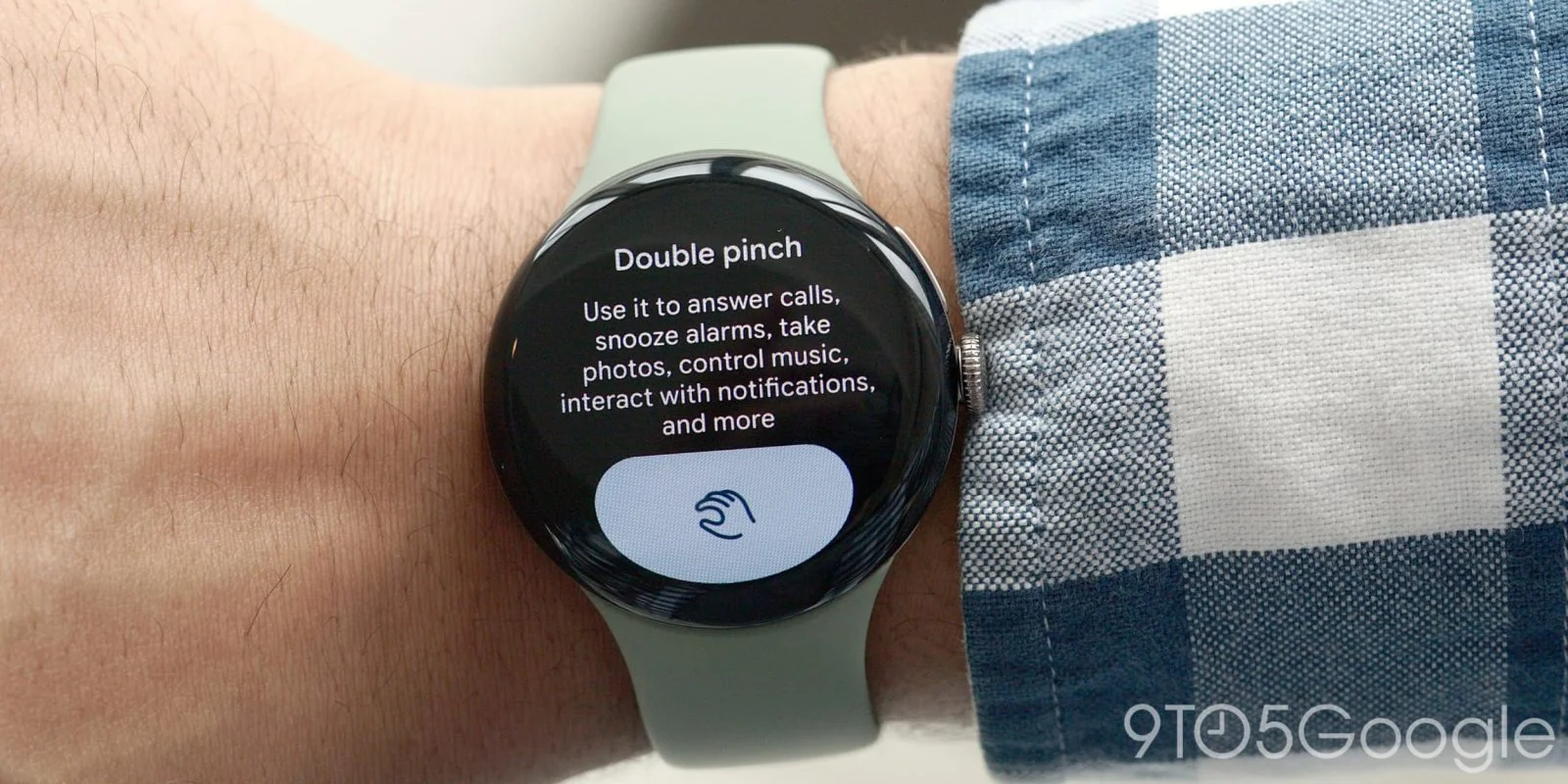
With its latest update, the Pixel Watch 5 introduces an expanded double pinch gesture, allowing for customized actions in both music and alarm management. Previously limited to snoozing alarms, users can now opt to dismiss them entirely or play/pause and skip tracks with a simple pinch.
Understanding Gesture Control Evolution
Gesture controls have rapidly gained traction in wearable technology, reflecting a general trend toward more intuitive interfaces. With each iteration, companies aim to streamline user interaction with devices, recognizing that a swift, seamless experience is increasingly important in consumer technology. The Pixel Watch 5 embraces this evolution by expanding gesture options to allow users to interact more fluidly with alarms and music. It's a small change that carries significant implications. Why? Because this increased adaptability could enhance user satisfaction, allowing for a more personalized experience rather than a one-size-fits-all approach.
This expanded gesture control feature might seem like an incremental update at first glance, yet it reflects a strategic pivot by Google to compete more effectively in the smartwatch market. Other tech giants have been investing heavily in gesture recognition, and Google’s efforts suggest that they are keen to establish a strong foothold. If you're working in this space, the significance of these updates can't be overstated. They may appear minor, but they address a fundamental usability concern that marks a critical point of differentiation.
Accessing and Customizing Gesture Options
To access these customizable options, navigate through Settings > Gestures > Hand gestures and look for the Customize actions section. The choices available include:
- Media controls: Play/Pause or Skip
- Alarm: Snooze or Dismiss
- Watch face: Open ongoing notification or Always scroll notification tray
This flexibility not only aids in managing alarms but also ensures continuous music control while on the go. The option to switch between actions with a simple double pinch enhances convenience dramatically. Imagine being on a jog and effortlessly controlling your playlist without fumbling through your pockets or breaking stride. This utility can make or break your experience, particularly for fitness enthusiasts who rely on wearables to multitask seamlessly in their routines.
Streamlined Music and Notification Management
Interestingly, while the settings hint at possible wrist turn customizations, the current offerings for the Pixel Watch 5 focus prominently on the double pinch functionality. This decision might raise questions about how Google prioritizes development. Fans of wrist gestures might feel slighted, expecting more comprehensive features. However, the emphasis on the double pinch ensures that the interface remains user-friendly while addressing primary needs, indicating a targeted approach in feature implementation.
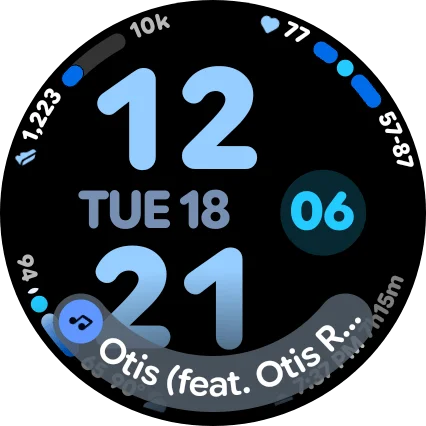
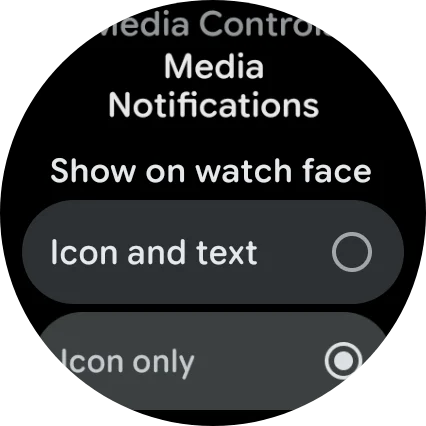
Moreover, the addition of a new long-press option for media controls within the At a Glance feature cannot be overlooked. This option allows users to choose between displaying just an icon or both an icon and text, which includes song titles. This may seem like a cosmetic enhancement, but it highlights a larger attitude toward multifaceted displays. However, be aware that the increased font size might occupy more screen real estate, depending on the watch face design. Does increased information density enhance user experience, or does it lead to a cluttered interface? This is the part most people overlook when interpreting updates like these.
Why This Matters
Users looking to manage their devices with minimal distraction will find that these gesture enhancements add a layer of convenience that resonates with today’s fast-paced lifestyle. It’s about efficiency and letting users interact with technology in a way that doesn’t interrupt their daily flow. The Pixel Watch 5 is targeting not just tech-savvy consumers but also everyday users who may not want to swipe through numerous menus to achieve a simple task. The simplicity and effectiveness of these gestures could encourage more users to embrace smartwatches as essential tools rather than gadgets.
That said, there may be concerns regarding the long-term viability of these features. Are they market differentiators, or just another trend? Considering how quickly technology evolves, firms need to adapt to user feedback and emerging needs. Google’s choice to focus on these customizable gestures tells us they are listening, but there's an implication here: will the user base continue to demand more complexity, or will simplicity reign supreme? The answer to this question could shape the future development of smartwatch technology.
Future Outlook
As technology becomes increasingly interconnected, wearables like the Pixel Watch 5 will have to continue evolving. The expansion of gesture controls is a clear indicator of where wearables might be heading — toward more intuitive, user-centered interfaces. Developers will likely explore additional gestures and further customization options as user interaction becomes a focal point in the design. This isn’t just about adding flashy features; it’s about solving actual user pain points.
Google’s approach to the Pixel Watch 5 might be seen as a stepping stone — a signal that they’re prepared to further explore user-friendly features that enhance both functionality and experience. And yet, for the smartwatch market to grow, companies must keep their ears to the ground and adapt their offerings to user demands. As wearables become more integrated into daily life, simplicity alongside functionality could be the key to success, potentially transforming how we interact with our devices forever.
Discussion
Sign in to join the discussion.